<?xml version="1.0" encoding="utf-8"?><feed xmlns="http://www.w3.org/2005/Atom" xml:lang="en-us"><generator uri="https://gohugo.io/" version="0.170.0">Hugo</generator><title type="html">Talks on sunshowers</title><subtitle type="html">thoughts and ideas</subtitle><link href="https://sunshowers.io/tags/talks/" rel="alternate" type="text/html" title="html"/><link href="https://sunshowers.io/tags/talks/index.xml" rel="alternate" type="application/rss+xml" title="rss"/><link href="https://sunshowers.io/tags/talks/atom.xml" rel="self" type="application/atom+xml" title="atom"/><updated>2026-11-15T23:03:09+00:00</updated><rights>© Rain 2020-present. Licensed under CC BY-NC-SA 4.0 unless marked otherwise.</rights><author><name>Rain</name></author><id>https://sunshowers.io/tags/talks/</id><entry><title type="html">Cancelling async Rust</title><link href="https://sunshowers.io/posts/cancelling-async-rust/?utm_source=atom_feed" rel="alternate" type="text/html"/><link href="https://sunshowers.io/posts/nextest-process-per-test/?utm_source=atom_feed" rel="related" type="text/html" title="Why nextest is process-per-test"/><link href="https://sunshowers.io/posts/beyond-ctrl-c-signals/?utm_source=atom_feed" rel="related" type="text/html" title="Beyond Ctrl-C: The dark corners of Unix signal handling"/><link href="https://sunshowers.io/posts/open-closed-universes/?utm_source=atom_feed" rel="related" type="text/html" title="Open and closed universes"/><id>https://sunshowers.io/posts/cancelling-async-rust/</id><published>2025-10-03T00:00:00+00:00</published><updated>2025-10-24T00:00:00+00:00</updated><content type="html"><![CDATA[<blockquote>Correctness in the face of cancellations: a written version of my talk at RustConf 2025.</blockquote><div class="sectioned-post">
<p><em>This is an edited, written version of my RustConf 2025 talk about cancellations in async Rust. Like <a href="/posts/beyond-ctrl-c-signals/">the written version of my RustConf 2023 talk</a>, I&rsquo;ve tried to retain the feel of a talk while making it readable as a standalone blog entry. Some links:</em></p>
<ul>
<li><em><a href="https://www.youtube.com/watch?v=zrv5Cy1R7r4">Video of the talk</a> on YouTube.</em></li>
<li><em><a href="https://docs.google.com/presentation/u/1/d/e/2PACX-1vTMc4EdHRf6ulz-xaAhZFGZwxJ7jPQgYWczT6pEIvwfXILV4ZEgMdLuoRh70bgh9SP7mxblEnyXuZD0/pub?start=false&amp;loop=false&amp;delayms=60000">Slides</a> on Google Slides.</em></li>
<li><em><a href="https://github.com/sunshowers/cancelling-async-rust">Repository with links and notes</a> on GitHub.</em></li>
<li><em><a href="https://lwn.net/Articles/1036924/">Coverage on Linux Weekly News</a>.</em></li>
</ul>
<div style="position: relative; padding-bottom: 56.25%; height: 0; overflow: hidden;">
			<iframe allow="accelerometer; autoplay; clipboard-write; encrypted-media; gyroscope; picture-in-picture; web-share; fullscreen" loading="eager" referrerpolicy="strict-origin-when-cross-origin" src="https://www.youtube.com/embed/zrv5Cy1R7r4?autoplay=0&amp;controls=1&amp;end=0&amp;loop=0&amp;mute=0&amp;start=0" style="position: absolute; top: 0; left: 0; width: 100%; height: 100%; border:0;" title="YouTube video"></iframe>
		</div>

<h2 id="introduction">Introduction</h2>
<p>Let’s start with a simple example – you decide to read from a channel in a loop and gather a bunch of messages:</p>
<div class="highlight"><pre tabindex="0" class="chroma"><code class="language-rust" data-lang="rust"><span class="line"><span class="cl"><span class="k">loop</span><span class="w"> </span><span class="p">{</span><span class="w">
</span></span></span><span class="line"><span class="cl"><span class="w">    </span><span class="k">match</span><span class="w"> </span><span class="n">rx</span><span class="p">.</span><span class="n">recv</span><span class="p">().</span><span class="k">await</span><span class="w"> </span><span class="p">{</span><span class="w">
</span></span></span><span class="line"><span class="cl"><span class="w">        </span><span class="nb">Ok</span><span class="p">(</span><span class="n">msg</span><span class="p">)</span><span class="w"> </span><span class="o">=&gt;</span><span class="w"> </span><span class="n">process</span><span class="p">(</span><span class="n">msg</span><span class="p">),</span><span class="w">
</span></span></span><span class="line"><span class="cl"><span class="w">        </span><span class="nb">Err</span><span class="p">(</span><span class="n">_</span><span class="p">)</span><span class="w"> </span><span class="o">=&gt;</span><span class="w"> </span><span class="k">return</span><span class="p">,</span><span class="w">
</span></span></span><span class="line"><span class="cl"><span class="w">    </span><span class="p">}</span><span class="w">
</span></span></span><span class="line"><span class="cl"><span class="p">}</span><span class="w">
</span></span></span></code></pre></div><p>All good, nothing wrong with this, but you realize sometimes the channel is empty for long periods of time, so you add a timeout and print a message:</p>
<div class="highlight"><pre tabindex="0" class="chroma"><code class="language-rust" data-lang="rust"><span class="line"><span class="cl"><span class="k">loop</span><span class="w"> </span><span class="p">{</span><span class="w">
</span></span></span><span class="line hl"><span class="cl"><span class="w">    </span><span class="k">match</span><span class="w"> </span><span class="n">timeout</span><span class="p">(</span><span class="n">Duration</span>::<span class="n">from_secs</span><span class="p">(</span><span class="mi">5</span><span class="p">),</span><span class="w"> </span><span class="n">rx</span><span class="p">.</span><span class="n">recv</span><span class="p">()).</span><span class="k">await</span><span class="w"> </span><span class="p">{</span><span class="w">
</span></span></span><span class="line"><span class="cl"><span class="w">        </span><span class="nb">Ok</span><span class="p">(</span><span class="nb">Ok</span><span class="p">(</span><span class="n">msg</span><span class="p">))</span><span class="w"> </span><span class="o">=&gt;</span><span class="w"> </span><span class="n">process</span><span class="p">(</span><span class="n">msg</span><span class="p">),</span><span class="w">
</span></span></span><span class="line"><span class="cl"><span class="w">        </span><span class="nb">Ok</span><span class="p">(</span><span class="nb">Err</span><span class="p">(</span><span class="n">_</span><span class="p">))</span><span class="w"> </span><span class="o">=&gt;</span><span class="w"> </span><span class="k">return</span><span class="p">,</span><span class="w">
</span></span></span><span class="line hl"><span class="cl"><span class="w">        </span><span class="nb">Err</span><span class="p">(</span><span class="n">_</span><span class="p">)</span><span class="w"> </span><span class="o">=&gt;</span><span class="w"> </span><span class="fm">println!</span><span class="p">(</span><span class="s">&#34;no messages for 5 seconds&#34;</span><span class="p">),</span><span class="w">
</span></span></span><span class="line"><span class="cl"><span class="w">    </span><span class="p">}</span><span class="w">
</span></span></span><span class="line"><span class="cl"><span class="p">}</span><span class="w">
</span></span></span></code></pre></div><p>There&rsquo;s nothing wrong with this code—it behaves as expected.</p>
<p>Now you realize you need to write a bunch of messages out to a channel in a loop:</p>
<div class="highlight"><pre tabindex="0" class="chroma"><code class="language-rust" data-lang="rust"><span class="line"><span class="cl"><span class="k">loop</span><span class="w"> </span><span class="p">{</span><span class="w">
</span></span></span><span class="line"><span class="cl"><span class="w">    </span><span class="kd">let</span><span class="w"> </span><span class="n">msg</span><span class="w"> </span><span class="o">=</span><span class="w"> </span><span class="n">next_message</span><span class="p">();</span><span class="w">
</span></span></span><span class="line"><span class="cl"><span class="w">    </span><span class="k">match</span><span class="w"> </span><span class="n">tx</span><span class="p">.</span><span class="n">send</span><span class="p">(</span><span class="n">msg</span><span class="p">).</span><span class="k">await</span><span class="w"> </span><span class="p">{</span><span class="w">
</span></span></span><span class="line"><span class="cl"><span class="w">        </span><span class="nb">Ok</span><span class="p">(</span><span class="n">_</span><span class="p">)</span><span class="w"> </span><span class="o">=&gt;</span><span class="w"> </span><span class="fm">println!</span><span class="p">(</span><span class="s">&#34;sent successfully&#34;</span><span class="p">),</span><span class="w">
</span></span></span><span class="line"><span class="cl"><span class="w">        </span><span class="nb">Err</span><span class="p">(</span><span class="n">_</span><span class="p">)</span><span class="w"> </span><span class="o">=&gt;</span><span class="w"> </span><span class="k">return</span><span class="p">,</span><span class="w">
</span></span></span><span class="line"><span class="cl"><span class="w">    </span><span class="p">}</span><span class="w">
</span></span></span><span class="line"><span class="cl"><span class="p">}</span><span class="w">
</span></span></span></code></pre></div><p>But sometimes the channel gets too full and blocks, so you add a timeout and print a message:</p>
<div class="highlight"><pre tabindex="0" class="chroma"><code class="language-rust" data-lang="rust"><span class="line"><span class="cl"><span class="k">loop</span><span class="w"> </span><span class="p">{</span><span class="w">
</span></span></span><span class="line"><span class="cl"><span class="w">    </span><span class="kd">let</span><span class="w"> </span><span class="n">msg</span><span class="w"> </span><span class="o">=</span><span class="w"> </span><span class="n">next_message</span><span class="p">();</span><span class="w">
</span></span></span><span class="line hl"><span class="cl"><span class="w">    </span><span class="k">match</span><span class="w"> </span><span class="n">timeout</span><span class="p">(</span><span class="n">Duration</span>::<span class="n">from_secs</span><span class="p">(</span><span class="mi">5</span><span class="p">),</span><span class="w"> </span><span class="n">tx</span><span class="p">.</span><span class="n">send</span><span class="p">(</span><span class="n">msg</span><span class="p">)).</span><span class="k">await</span><span class="w"> </span><span class="p">{</span><span class="w">
</span></span></span><span class="line"><span class="cl"><span class="w">        </span><span class="nb">Ok</span><span class="p">(</span><span class="nb">Ok</span><span class="p">(</span><span class="n">_</span><span class="p">))</span><span class="w"> </span><span class="o">=&gt;</span><span class="w"> </span><span class="fm">println!</span><span class="p">(</span><span class="s">&#34;sent successfully&#34;</span><span class="p">),</span><span class="w">
</span></span></span><span class="line"><span class="cl"><span class="w">        </span><span class="nb">Ok</span><span class="p">(</span><span class="nb">Err</span><span class="p">(</span><span class="n">_</span><span class="p">))</span><span class="w"> </span><span class="o">=&gt;</span><span class="w"> </span><span class="k">return</span><span class="p">,</span><span class="w">
</span></span></span><span class="line hl"><span class="cl"><span class="w">        </span><span class="nb">Err</span><span class="p">(</span><span class="n">_</span><span class="p">)</span><span class="w"> </span><span class="o">=&gt;</span><span class="w"> </span><span class="fm">println!</span><span class="p">(</span><span class="s">&#34;no space for 5 seconds&#34;</span><span class="p">),</span><span class="w">
</span></span></span><span class="line"><span class="cl"><span class="w">    </span><span class="p">}</span><span class="w">
</span></span></span><span class="line"><span class="cl"><span class="p">}</span><span class="w">
</span></span></span></code></pre></div><p>It turns out that <em>this</em> code is often incorrect, because not all messages make their way to the channel.</p>
<p>Hi, I’m Rain, and this post is about cancelling async Rust. This post is split into three parts:</p>
<ol>
<li><a href="/posts/cancelling-async-rust/#1-what-is-cancellation"><em>What is cancellation?</em></a> It&rsquo;s an extremely powerful part of async Rust but also one that is very hard to reason thoroughly about.</li>
<li><a href="/posts/cancelling-async-rust/#2-analyzing-cancellations"><em>Analyzing cancellations:</em></a> Going deep into their mechanics and providing some helpful ways to think about them.</li>
<li><a href="/posts/cancelling-async-rust/#3-what-can-be-done"><em>What can be done?</em></a> Solutions, including practical guidance, and real bugs we’ve found and fixed in production codebases.</li>
</ol>
<p>Before we begin, I want to lay my cards on the table – I really love async Rust!</p>

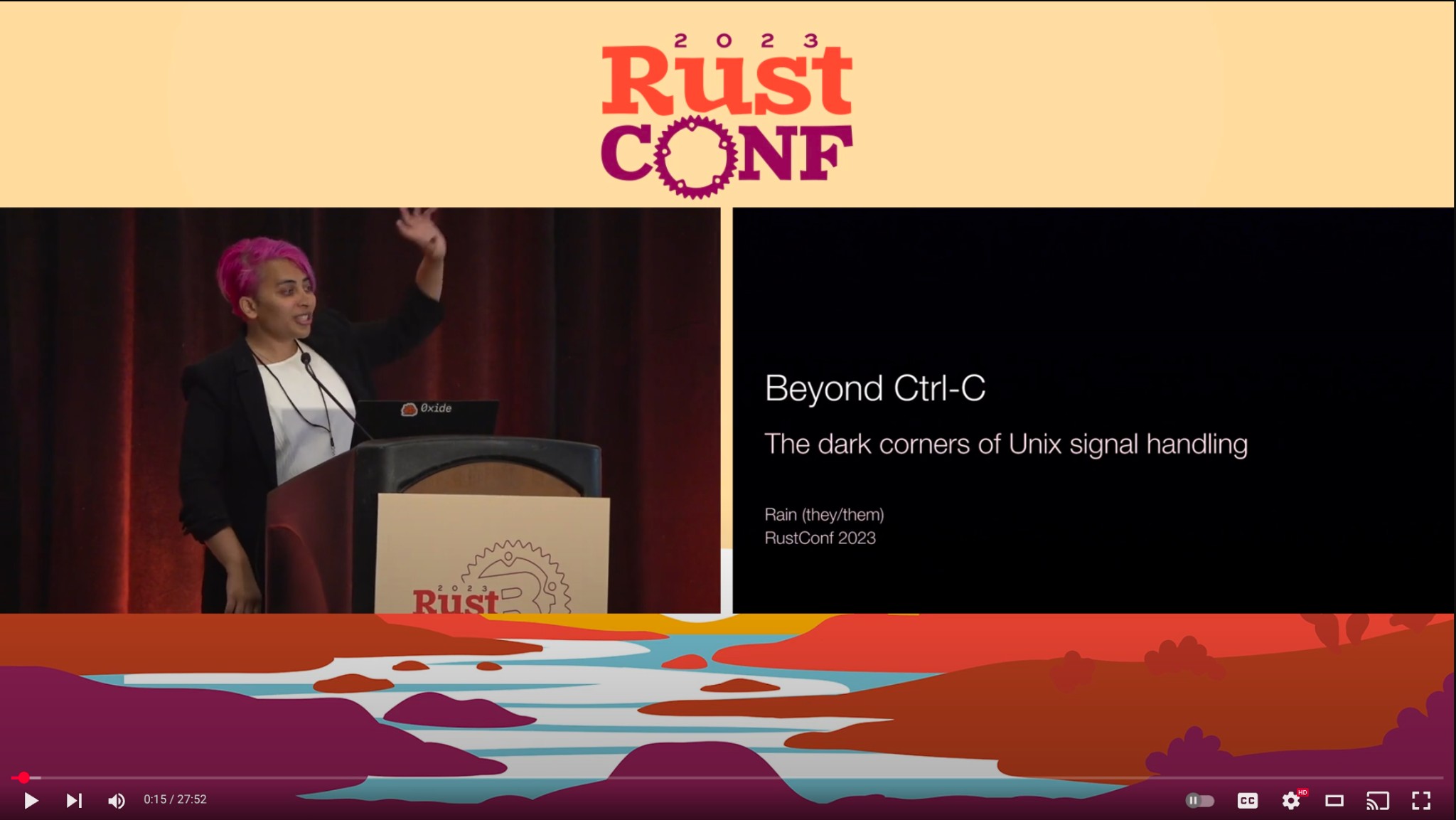
  <figure class="floatright" >
    
    <img src="/images/beyond-ctrl-c.jpg"  alt="Me speaking at RustConf 2023. Beyond Ctrl-C: The dark corners of Unix signal handling."   />
    
    
      <figcaption class="center" >Me speaking at RustConf 2023.</figcaption>
    
  </figure>


<ul>
<li>
<p>I gave <a href="/posts/beyond-ctrl-c-signals/">a talk</a> at RustConf a couple years ago talking about how async Rust is a great fit for signal handling in complex applications.</p>
</li>
<li>
<p>I’m also the author of <a href="https://nexte.st/">cargo-nextest</a>, a next-generation test runner for Rust, where async Rust is the best way I know of to express some really complex algorithms that I wouldn’t know how to express otherwise. I wrote <a href="/posts/nextest-and-tokio/">a blog post</a> about this a few years ago.</p>
</li>
</ul>
<p>Now, I work at <a href="https://oxide.computer/">Oxide Computer Company</a>, where we make <em>cloud-in-a-box computers</em>. We make vertically integrated systems where you provide power and networking on one end, and the software you want to run on the other end, and we take care of everything in between.</p>
<p>Of course, we use Rust everywhere, and in particular we use async Rust extensively for our higher-level software, such as <a href="https://github.com/oxidecomputer/crucible">storage</a>, <a href="https://github.com/oxidecomputer/maghemite">networking</a> and the <a href="https://github.com/oxidecomputer/omicron/">customer-facing management API</a>. But along the way we’ve encountered a number of issues around async cancellation, and a lot of this post is about what we learned along the way.</p>
<h2 id="1-what-is-cancellation">1. What is cancellation?</h2>
<p>What does cancellation mean? Logically, a cancellation is exactly what it sounds like: you start some work, and then change your mind and decide to stop doing that work.</p>
<p>As you might imagine this is a useful thing to do:</p>
<ul>
<li>You may have started a large download or a long network request</li>
<li>Maybe you’ve started reading a file, similar to the <code>head</code> command.</li>
</ul>
<p>But then you change your mind: you want to cancel it rather than continue it to completion.</p>
<h3 id="cancellations-in-synchronous-rust">Cancellations in synchronous Rust</h3>
<p>Before we talk about async Rust, it’s worth thinking about how you’d do cancellations in synchronous Rust.</p>
<p>One option is to have some kind of <em>flag</em> you periodically check, maybe stored in an atomic:</p>
<div class="highlight"><pre tabindex="0" class="chroma"><code class="language-rust" data-lang="rust"><span class="line"><span class="cl"><span class="k">while</span><span class="w"> </span><span class="o">!</span><span class="n">should_cancel</span><span class="p">.</span><span class="n">load</span><span class="p">(</span><span class="n">Ordering</span>::<span class="n">Relaxed</span><span class="p">)</span><span class="w"> </span><span class="p">{</span><span class="w">
</span></span></span><span class="line"><span class="cl"><span class="w">    </span><span class="n">expensive_operation</span><span class="p">();</span><span class="w">
</span></span></span><span class="line"><span class="cl"><span class="p">}</span><span class="w">
</span></span></span></code></pre></div><ul>
<li>The code that wishes to perform the cancellation can set that flag.</li>
<li>Then, the code which checks that flag can exit early.</li>
</ul>
<p>This approach is fine for smaller bits of code but doesn’t really scale well to large chunks of code since you’d have to sprinkle these checks everywhere.</p>
<p>A related option, if you’re working with a framework as part of your work, is to <em>panic with a special payload</em> of some kind.</p>
<ul>
<li>If that feels strange to you, you’re not alone! But the <a href="https://github.com/salsa-rs/salsa">Salsa</a> framework for incremental computation, used by—among other things—<a href="https://github.com/rust-lang/rust-analyzer">rust-analyzer</a>, uses this approach.</li>
<li>Something I learned recently was that this only works on build targets which have a notion of <a href="https://doc.rust-lang.org/std/panic/fn.catch_unwind.html">panic unwinding</a>, or being able to bubble up the panic. Not all platforms support this, and in particular, <a href="https://webassembly.org/">Wasm</a> doesn&rsquo;t. This means that Salsa cancellations don’t work if you build rust-analyzer for Wasm.</li>
</ul>
<p>A third option is to <em>kill the whole process</em>. This is a <em>very heavyweight</em> approach, but an effective one in case you spawn processes to do your work.</p>
<p>Rather than kill the whole process, can you kill a single thread?</p>
<ul>
<li>While <a href="https://learn.microsoft.com/en-us/windows/win32/api/processthreadsapi/nf-processthreadsapi-terminatethread">some OSes have APIs</a> to perform this action, they tend to warn very strongly against it. That’s because in general, most code is <a href="/posts/nextest-process-per-test/#appendix">just not ready</a> for a thread disappearing from underneath.</li>
<li>In particular, thread killing is not permitted by safe Rust, since it can cause serious corruption. For example, Rust mutexes would likely stay locked forever.</li>
</ul>
<p>All of these options are suboptimal or of limited use in some way. In general, the way I think about it is that there isn’t a <em>universal protocol</em> for cancellation in synchronous Rust.</p>
<p>In contrast, there <em>is</em> such a protocol in async Rust, and in fact cancellations are extraordinarily easy to perform in async Rust.</p>
<p>Why is that so? To understand that, let’s look at what a future is.</p>
<h3 id="what-is-a-future">What is a future?</h3>
<p>Here’s a simple example of a future:</p>
<div class="highlight"><pre tabindex="0" class="chroma"><code class="language-rust" data-lang="rust"><span class="line"><span class="cl"><span class="c1">// This creates a state machine.
</span></span></span><span class="line"><span class="cl"><span class="kd">let</span><span class="w"> </span><span class="n">future</span><span class="w"> </span><span class="o">=</span><span class="w"> </span><span class="k">async</span><span class="w"> </span><span class="p">{</span><span class="w">
</span></span></span><span class="line"><span class="cl"><span class="w">    </span><span class="kd">let</span><span class="w"> </span><span class="n">data</span><span class="w"> </span><span class="o">=</span><span class="w"> </span><span class="n">request</span><span class="p">().</span><span class="k">await</span><span class="p">;</span><span class="w">
</span></span></span><span class="line"><span class="cl"><span class="w">    </span><span class="n">process</span><span class="p">(</span><span class="n">data</span><span class="p">).</span><span class="k">await</span><span class="w">
</span></span></span><span class="line"><span class="cl"><span class="p">};</span><span class="w">
</span></span></span><span class="line"><span class="cl"><span class="w">
</span></span></span><span class="line"><span class="cl"><span class="c1">// Nothing executes yet. `future` is just a struct in memory.
</span></span></span></code></pre></div><p>In this future, you first perform a network request which returns some data, and then you process it.</p>
<p>The Rust compiler looks at this future and generates a state machine, which is just a struct or enum in memory:</p>
<div class="highlight"><pre tabindex="0" class="chroma"><code class="language-rust" data-lang="rust"><span class="line"><span class="cl"><span class="c1">// The compiler generates something like:
</span></span></span><span class="line"><span class="cl"><span class="k">enum</span> <span class="nc">MyFuture</span><span class="w"> </span><span class="p">{</span><span class="w">
</span></span></span><span class="line"><span class="cl"><span class="w">    </span><span class="n">Start</span><span class="p">,</span><span class="w">
</span></span></span><span class="line"><span class="cl"><span class="w">    </span><span class="n">WaitingForNetwork</span><span class="p">(</span><span class="n">NetworkFuture</span><span class="p">),</span><span class="w">
</span></span></span><span class="line"><span class="cl"><span class="w">    </span><span class="n">WaitingForProcess</span><span class="p">(</span><span class="n">ProcessFuture</span><span class="p">,</span><span class="w"> </span><span class="n">Data</span><span class="p">),</span><span class="w">
</span></span></span><span class="line"><span class="cl"><span class="w">    </span><span class="n">Done</span><span class="p">(</span><span class="nb">Result</span><span class="p">),</span><span class="w">
</span></span></span><span class="line"><span class="cl"><span class="p">}</span><span class="w">
</span></span></span><span class="line"><span class="cl"><span class="w">
</span></span></span><span class="line"><span class="cl"><span class="c1">// It&#39;s just data, no running code!
</span></span></span></code></pre></div><p>If you&rsquo;ve written async Rust before the <code>async</code> and <code>await</code> keywords, you’ve probably written code like it by hand. It’s basically just an enum describing all the possible states the future can be in.</p>
<p>The compiler also generates an implementation of <a href="https://doc.rust-lang.org/std/future/trait.Future.html">the <code>Future</code> trait</a> for this future:</p>
<div class="highlight"><pre tabindex="0" class="chroma"><code class="language-rust" data-lang="rust"><span class="line"><span class="cl"><span class="k">impl</span><span class="w"> </span><span class="n">Future</span><span class="w"> </span><span class="k">for</span><span class="w"> </span><span class="n">MyFuture</span><span class="w"> </span><span class="p">{</span><span class="w">
</span></span></span><span class="line"><span class="cl"><span class="w">    </span><span class="k">fn</span> <span class="nf">poll</span><span class="p">(</span><span class="cm">/* ... */</span><span class="p">)</span><span class="w"> </span>-&gt; <span class="nc">Poll</span><span class="o">&lt;</span><span class="bp">Self</span>::<span class="n">Output</span><span class="o">&gt;</span><span class="w"> </span><span class="p">{</span><span class="w">
</span></span></span><span class="line"><span class="cl"><span class="w">        </span><span class="k">match</span><span class="w"> </span><span class="bp">self</span><span class="w"> </span><span class="p">{</span><span class="w">
</span></span></span><span class="line"><span class="cl"><span class="w">            </span><span class="n">Start</span><span class="w"> </span><span class="o">=&gt;</span><span class="w"> </span><span class="p">{</span><span class="w"> </span><span class="cm">/* ... */</span><span class="w"> </span><span class="p">}</span><span class="w">
</span></span></span><span class="line"><span class="cl"><span class="w">            </span><span class="n">WaitingForNetwork</span><span class="p">(</span><span class="n">fut</span><span class="p">)</span><span class="w"> </span><span class="o">=&gt;</span><span class="w"> </span><span class="p">{</span><span class="w"> </span><span class="cm">/* ... */</span><span class="w"> </span><span class="p">}</span><span class="w">
</span></span></span><span class="line"><span class="cl"><span class="w">            </span><span class="c1">// etc
</span></span></span><span class="line"><span class="cl"><span class="w">        </span><span class="p">}</span><span class="w">
</span></span></span><span class="line"><span class="cl"><span class="w">    </span><span class="p">}</span><span class="w">
</span></span></span><span class="line"><span class="cl"><span class="p">}</span><span class="w">
</span></span></span></code></pre></div><p>and when you call <code>.await</code> on the future, it gets translated down to this underlying <code>poll</code> function. It is only when <code>await</code> or this <code>poll</code> function is called that something actually happens.</p>
<p>Note that this is diametrically opposed to how async works in other languages like Go, JavaScript, or C#. In those languages, when you create a future to await on, it starts doing its thing, immediately, in the background:</p>
<div class="highlight"><pre tabindex="0" class="chroma"><code class="language-js" data-lang="js"><span class="line"><span class="cl"><span class="c1">// JavaScript: starts running immediately
</span></span></span><span class="line"><span class="cl"><span class="kr">const</span> <span class="nx">promise</span> <span class="o">=</span> <span class="nx">fetch</span><span class="p">(</span><span class="s1">&#39;/api/data&#39;</span><span class="p">);</span>
</span></span></code></pre></div><p>That’s regardless of whether you await it or not.</p>
<p>In Rust, this <code>get</code> call does nothing until you actually call <code>.await</code> on it:</p>
<div class="highlight"><pre tabindex="0" class="chroma"><code class="language-rust" data-lang="rust"><span class="line"><span class="cl"><span class="c1">// Rust: just data, does nothing!
</span></span></span><span class="line"><span class="cl"><span class="kd">let</span><span class="w"> </span><span class="n">future</span><span class="w"> </span><span class="o">=</span><span class="w"> </span><span class="n">reqwest</span>::<span class="n">get</span><span class="p">(</span><span class="s">&#34;/api/data&#34;</span><span class="p">);</span><span class="w">
</span></span></span></code></pre></div><p>I know I sound a bit like a broken record here, but if you can take away one thing from this post, it would be that futures are passive, and completely inert until awaited or polled.</p>
<h3 id="the-universal-protocol">The universal protocol</h3>
<p>So what does the universal protocol to cancel futures look like?  It is simply to <em>drop</em> the future, or to not await it, or poll it any more. Since a future is just a state machine, you can throw it away at any time the poll function isn’t actively being called.</p>
<div class="highlight"><pre tabindex="0" class="chroma"><code class="language-rust" data-lang="rust"><span class="line"><span class="cl"><span class="kd">let</span><span class="w"> </span><span class="n">future</span><span class="w"> </span><span class="o">=</span><span class="w"> </span><span class="n">some_async_work</span><span class="p">();</span><span class="w">
</span></span></span><span class="line"><span class="cl"><span class="nb">drop</span><span class="p">(</span><span class="n">future</span><span class="p">);</span><span class="w"> </span><span class="c1">// cancelled
</span></span></span></code></pre></div><p>The upshot of all this is that any Rust future can be cancelled at any await point.</p>
<p>Given how hard cancellation tends to be in synchronous environments, the ability to easily cancel futures in async Rust is extraordinarily powerful—in many ways its greatest strength!</p>
<p>But there is a flip side, which is that cancelling futures is far, far too easy. This is for two reasons.</p>
<ol>
<li>
<p>First, it’s just way too easy to quietly drop a future. As we’re going to see, there are all kinds of code patterns that lead to silently dropping futures.</p>
</li>
<li>
<p>Now this wouldn’t be so bad, if not for the second reason: that cancellation of parent futures propagates down to child futures.</p>
<p>Because of Rust’s <a href="https://doc.rust-lang.org/book/ch04-00-understanding-ownership.html">single ownership model</a>, child futures are owned by parent ones. If a parent future is dropped or cancelled, the same happens to the child.</p>
<p>To figure out whether a child future’s cancellation can cause issues, you have to look at its parent, and grandparent, and so on. Reasoning about cancellation becomes a very complicated <em>non-local operation</em>.</p>
</li>
</ol>
<h2 id="2-analyzing-cancellations">2. Analyzing cancellations</h2>
<p>I’m going to cover some examples in a bit, but before we do that I want to talk about a couple terms, some of which you might have seen references to already.</p>
<h3 id="cancel-safety-and-cancel-correctness">Cancel safety and cancel correctness</h3>
<p>The first term is <strong>cancel safety</strong>. You might have seen mentions of this in the Tokio documentation. Cancel safety, as generally defined, means the property of a future that can be cancelled (i.e. dropped) without any side effects.</p>
<p>For example, a <a href="https://docs.rs/tokio/latest/tokio/time/fn.sleep.html">Tokio sleep future</a> is cancel safe: you can just stop waiting on the sleep and it’s completely fine.</p>
<div class="highlight"><pre tabindex="0" class="chroma"><code class="language-rust" data-lang="rust"><span class="line"><span class="cl"><span class="kd">let</span><span class="w"> </span><span class="n">future</span><span class="w"> </span><span class="o">=</span><span class="w"> </span><span class="n">tokio</span>::<span class="n">time</span>::<span class="n">sleep</span><span class="p">();</span><span class="w">
</span></span></span><span class="line"><span class="cl"><span class="nb">drop</span><span class="p">(</span><span class="n">future</span><span class="p">);</span><span class="w"> </span><span class="c1">// this has no side effects
</span></span></span></code></pre></div><p>An example of a future that is not cancel safe is <a href="https://docs.rs/tokio/latest/tokio/sync/mpsc/struct.Sender.html#method.send">Tokio’s MPSC send</a>, which sends a message over a channel:</p>
<div class="highlight"><pre tabindex="0" class="chroma"><code class="language-rust" data-lang="rust"><span class="line"><span class="cl"><span class="kd">let</span><span class="w"> </span><span class="n">message</span><span class="w"> </span><span class="o">=</span><span class="w"> </span><span class="cm">/* ... */</span><span class="p">;</span><span class="w">
</span></span></span><span class="line"><span class="cl"><span class="kd">let</span><span class="w"> </span><span class="n">future</span><span class="w"> </span><span class="o">=</span><span class="w"> </span><span class="n">sender</span><span class="p">.</span><span class="n">send</span><span class="p">(</span><span class="n">message</span><span class="p">);</span><span class="w">
</span></span></span><span class="line"><span class="cl"><span class="nb">drop</span><span class="p">(</span><span class="n">future</span><span class="p">);</span><span class="w"> </span><span class="c1">// message is lost!
</span></span></span></code></pre></div><p>If this future is dropped, the message is lost forever.</p>
<p>The important thing is that cancel safety is a <em>local property</em> of an <em>individual future</em>.</p>
<p>But cancel safety is not all that one needs to care about. What actually matters is the context the cancellation happens in, or in other words whether the cancellation actually causes some kind of larger property in the system to be violated.</p>
<ul>
<li>For example, if you drop a future which sends a message, but for whatever reason you don’t care about the message any more, it’s not really a bug!</li>
</ul>
<p>To capture this I tend to use a different term called <strong>cancel correctness</strong>, which I define as a <em>global property</em> of <em>system correctness</em> in the face of cancellations. (This isn’t a standard term, but it’s a framing I’ve found really helpful in understanding cancellations.)</p>
<p>When is cancel correctness violated? It requires three things:</p>
<ol>
<li>
<p><em>The system has a cancel-unsafe future somewhere within it.</em> As we’ll see, many APIs that are cancel-unsafe can be reworked to be cancel-safe. If there aren’t any cancel-unsafe futures in the system, then the system is cancel correct.</p>
</li>
<li>
<p><em>A cancel-unsafe future is actually cancelled.</em> This may sound a bit trivial, but if cancel-unsafe futures are always run to completion, then the system can’t have cancel correctness bugs.</p>
</li>
<li>
<p><em>Cancelling the future violates some property of a system.</em> This could be data loss as with <code>Sender::send</code>, some kind of invariant violation, or some kind of cleanup that must be performed but isn&rsquo;t.</p>
</li>
</ol>
<p>So a lot of making Rust async robust is about trying to tackle one of these three things.</p>
<p>I want to zoom in for a second on invariant violations and talk about an example of a Tokio API that is very prone to cancel correctness issues: <a href="https://docs.rs/tokio/latest/tokio/sync/struct.Mutex.html">Tokio mutexes</a>.</p>
<h3 id="the-pain-of-tokio-mutexes">The pain of Tokio mutexes</h3>
<p>The way Tokio mutexes work is: you create a mutex, you lock it which gives you mutable access to the data underneath, and then you unlock it by releasing the mutex.</p>
<div class="highlight"><pre tabindex="0" class="chroma"><code class="language-rust" data-lang="rust"><span class="line"><span class="cl"><span class="kd">let</span><span class="w"> </span><span class="n">guard</span><span class="w"> </span><span class="o">=</span><span class="w"> </span><span class="n">mutex</span><span class="p">.</span><span class="n">lock</span><span class="p">().</span><span class="k">await</span><span class="p">;</span><span class="w">
</span></span></span><span class="line"><span class="cl"><span class="c1">// Access guard.data, protected by the mutex...
</span></span></span><span class="line"><span class="cl"><span class="nb">drop</span><span class="p">(</span><span class="n">guard</span><span class="p">);</span><span class="w">
</span></span></span></code></pre></div><p>If you look at the <a href="https://docs.rs/tokio/latest/tokio/sync/struct.Mutex.html#method.lock"><code>lock</code> function&rsquo;s documentation</a>, in the “cancel safety” section it says:</p>
<blockquote>
<p>This method uses a queue to fairly distribute locks in the order they were requested. Cancelling a call to lock makes you lose your place in the queue.</p>
</blockquote>
<p>Okay, so not totally cancel safe, but the only kind of unsafety is fairness, which doesn’t sound too bad.</p>
<p>But the problems lie in what you actually do with the mutex. In practice, most uses of mutexes are in order to <em>temporarily violate invariants</em> that are otherwise upheld when a lock isn’t held.</p>
<p>I’ll use a real world example of a cancel correctness bug that we found at my job at Oxide: we had code to manage a bunch of data sent over by our computers, which we call sleds. The shared state was guarded by a mutex, and a typical operation was:</p>
<ol>
<li>Obtain a lock on the mutex.</li>
<li>Obtain the sled-specific data by value, moving it to an invalid <code>None</code> state.</li>
<li>Perform an action.</li>
<li>Set the sled-specific data back to the next valid state.</li>
</ol>
<p>Here&rsquo;s a rough sketch of what that looks like:</p>
<div class="highlight"><pre tabindex="0" class="chroma"><code class="language-rust" data-lang="rust"><span class="line"><span class="cl"><span class="kd">let</span><span class="w"> </span><span class="n">guard</span><span class="w"> </span><span class="o">=</span><span class="w"> </span><span class="n">mutex</span><span class="p">.</span><span class="n">lock</span><span class="p">().</span><span class="k">await</span><span class="p">;</span><span class="w">
</span></span></span><span class="line"><span class="cl"><span class="c1">// guard.data is Option&lt;T&gt;: Some to begin with
</span></span></span><span class="line"><span class="cl"><span class="kd">let</span><span class="w"> </span><span class="n">data</span><span class="w"> </span><span class="o">=</span><span class="w"> </span><span class="n">guard</span><span class="p">.</span><span class="n">data</span><span class="p">.</span><span class="n">take</span><span class="p">();</span><span class="w"> </span><span class="c1">// guard.data is now None
</span></span></span><span class="line"><span class="cl"><span class="w">
</span></span></span><span class="line"><span class="cl"><span class="kd">let</span><span class="w"> </span><span class="n">new_data</span><span class="w"> </span><span class="o">=</span><span class="w"> </span><span class="n">process_data</span><span class="p">(</span><span class="n">data</span><span class="p">);</span><span class="w">
</span></span></span><span class="line"><span class="cl"><span class="n">guard</span><span class="p">.</span><span class="n">data</span><span class="w"> </span><span class="o">=</span><span class="w"> </span><span class="nb">Some</span><span class="p">(</span><span class="n">new_data</span><span class="p">);</span><span class="w"> </span><span class="c1">// guard.data is Some again
</span></span></span></code></pre></div><p>This is all well and good, but the problem is that the action being performed actually had an await point within it:</p>
<div class="highlight"><pre tabindex="0" class="chroma"><code class="language-rust" data-lang="rust"><span class="line"><span class="cl"><span class="kd">let</span><span class="w"> </span><span class="n">guard</span><span class="w"> </span><span class="o">=</span><span class="w"> </span><span class="n">mutex</span><span class="p">.</span><span class="n">lock</span><span class="p">().</span><span class="k">await</span><span class="p">;</span><span class="w">
</span></span></span><span class="line"><span class="cl"><span class="c1">// guard.data is Option&lt;T&gt;: Some to begin with
</span></span></span><span class="line"><span class="cl"><span class="kd">let</span><span class="w"> </span><span class="n">data</span><span class="w"> </span><span class="o">=</span><span class="w"> </span><span class="n">guard</span><span class="p">.</span><span class="n">data</span><span class="p">.</span><span class="n">take</span><span class="p">();</span><span class="w"> </span><span class="c1">// guard.data is now None
</span></span></span><span class="line"><span class="cl"><span class="w">
</span></span></span><span class="line"><span class="cl"><span class="c1">// DANGER: cancellation here leaves data in None state!
</span></span></span><span class="line hl"><span class="cl"><span class="kd">let</span><span class="w"> </span><span class="n">new_data</span><span class="w"> </span><span class="o">=</span><span class="w"> </span><span class="n">process_data</span><span class="p">(</span><span class="n">data</span><span class="p">).</span><span class="k">await</span><span class="p">;</span><span class="w">
</span></span></span><span class="line"><span class="cl"><span class="n">guard</span><span class="p">.</span><span class="n">data</span><span class="w"> </span><span class="o">=</span><span class="w"> </span><span class="nb">Some</span><span class="p">(</span><span class="n">new_data</span><span class="p">);</span><span class="w"> </span><span class="c1">// guard.data is Some again
</span></span></span></code></pre></div><p>If the code that operated on the mutex got cancelled at that await point, then the data would be stuck in the invalid <code>None</code> state. Not great!</p>
<p>And keep in mind the non-local reasoning aspect: when doing this analysis, you need to look at the whole chain of callers.</p>
<h3 id="cancellation-patterns">Cancellation patterns</h3>
<p>Now that we’ve talked about some of the bad things that can happen during cancellations, it’s worth asking what kinds of code patterns lead to futures being cancelled.</p>
<p>The most straightforward example, and maybe a bit of a silly one, is that you create a future but simply forget to call <code>.await</code> on it.</p>
<div class="highlight"><pre tabindex="0" class="chroma"><code class="language-rust" data-lang="rust"><span class="line"><span class="cl"><span class="n">some_async_work</span><span class="p">();</span><span class="w"> </span><span class="c1">// missing .await
</span></span></span></code></pre></div><p>Now Rust actually warns you if you don&rsquo;t call <code>.await</code> on the future:</p>
<div class="highlight"><pre tabindex="0" class="chroma"><code class="language-text" data-lang="text"><span class="line"><span class="cl">warning: unused implementer of `Future` that must be used
</span></span><span class="line"><span class="cl">   |
</span></span><span class="line"><span class="cl">11 |     some_async_work();
</span></span><span class="line"><span class="cl">   |     ^^^^^^^^^^^^^^^^^
</span></span><span class="line"><span class="cl">   |
</span></span><span class="line"><span class="cl">   = note: futures do nothing unless you `.await` or poll them
</span></span></code></pre></div><p>But a code pattern I’ve sometimes made mistakes with is that the future returns a <code>Result</code>, and you want to ignore the result so you assign it to an underscore like so:</p>
<div class="highlight"><pre tabindex="0" class="chroma"><code class="language-rust" data-lang="rust"><span class="line"><span class="cl"><span class="kd">let</span><span class="w"> </span><span class="n">_</span><span class="w"> </span><span class="o">=</span><span class="w"> </span><span class="n">some_async_work</span><span class="p">();</span><span class="w"> </span><span class="c1">// future returns Result
</span></span></span></code></pre></div><p>If I forget to call <code>.await</code> on the future, Rust doesn’t warn me about it at all, and then I’m left scratching my head about why this code didn’t run. I know this sounds really silly and basic, but I’ve made this mistake a bunch of times.</p>
<p><em>(After my talk, it was pointed out to me that Clippy 1.67 and above have a <a href="https://rust-lang.github.io/rust-clippy/master/index.html#let_underscore_future"><code>let_underscore_future</code></a> warn-by-default lint for this. Hooray!)</em></p>
<p>Another example of futures being cancelled is <code>try</code> operations, such as Tokio’s <a href="https://docs.rs/tokio/latest/tokio/macro.try_join.html"><code>try_join</code> macro</a>. For example:</p>
<div class="highlight"><pre tabindex="0" class="chroma"><code class="language-rust" data-lang="rust"><span class="line"><span class="cl"><span class="k">async</span><span class="w"> </span><span class="k">fn</span> <span class="nf">do_stuff_async</span><span class="p">()</span><span class="w"> </span>-&gt; <span class="nb">Result</span><span class="o">&lt;</span><span class="p">(),</span><span class="w"> </span><span class="o">&amp;</span><span class="nb">&#39;static</span><span class="w"> </span><span class="kt">str</span><span class="o">&gt;</span><span class="w"> </span><span class="p">{</span><span class="w">
</span></span></span><span class="line"><span class="cl"><span class="w">    </span><span class="c1">// async work
</span></span></span><span class="line"><span class="cl"><span class="p">}</span><span class="w">
</span></span></span><span class="line"><span class="cl"><span class="w">
</span></span></span><span class="line"><span class="cl"><span class="k">async</span><span class="w"> </span><span class="k">fn</span> <span class="nf">more_async_work</span><span class="p">()</span><span class="w"> </span>-&gt; <span class="nb">Result</span><span class="o">&lt;</span><span class="p">(),</span><span class="w"> </span><span class="o">&amp;</span><span class="nb">&#39;static</span><span class="w"> </span><span class="kt">str</span><span class="o">&gt;</span><span class="w"> </span><span class="p">{</span><span class="w">
</span></span></span><span class="line"><span class="cl"><span class="w">    </span><span class="c1">// more here
</span></span></span><span class="line"><span class="cl"><span class="p">}</span><span class="w">
</span></span></span><span class="line"><span class="cl"><span class="w">
</span></span></span><span class="line"><span class="cl"><span class="kd">let</span><span class="w"> </span><span class="n">res</span><span class="w"> </span><span class="o">=</span><span class="w"> </span><span class="n">tokio</span>::<span class="fm">try_join!</span><span class="p">(</span><span class="w">
</span></span></span><span class="line"><span class="cl"><span class="w">    </span><span class="n">do_stuff_async</span><span class="p">(),</span><span class="w">
</span></span></span><span class="line"><span class="cl"><span class="w">    </span><span class="n">more_async_work</span><span class="p">(),</span><span class="w">
</span></span></span><span class="line"><span class="cl"><span class="p">);</span><span class="w">
</span></span></span><span class="line"><span class="cl"><span class="w">
</span></span></span><span class="line"><span class="cl"><span class="c1">// ...
</span></span></span></code></pre></div><p>If you call <code>try_join</code> with a bunch of futures, and all of them succeed, it’s all good. But if one of them fails, the rest simply get cancelled.</p>
<p>In fact, at Oxide we had a pretty bad bug around this: we had code to stop a bunch of services, all expressed as futures. We used <code>try_join</code>:</p>
<div class="highlight"><pre tabindex="0" class="chroma"><code class="language-rust" data-lang="rust"><span class="line"><span class="cl"><span class="fm">try_join!</span><span class="p">(</span><span class="w">
</span></span></span><span class="line"><span class="cl"><span class="w">    </span><span class="n">stop_service_a</span><span class="p">(),</span><span class="w">
</span></span></span><span class="line"><span class="cl"><span class="w">    </span><span class="n">stop_service_b</span><span class="p">(),</span><span class="w">
</span></span></span><span class="line"><span class="cl"><span class="w">    </span><span class="n">stop_service_c</span><span class="p">(),</span><span class="w">
</span></span></span><span class="line"><span class="cl"><span class="p">)</span><span class="o">?</span><span class="p">;</span><span class="w">
</span></span></span></code></pre></div><p>If one of these operations failed for whatever reason, we would stop running the code to wait for the other services to exit. Oops!</p>
<p>But perhaps the most well-known source of cancellations is Tokio&rsquo;s <a href="https://docs.rs/tokio/latest/tokio/macro.select.html"><code>select</code> macro</a>. Select is this incredibly beautiful operation. It is called with a set of futures, and it drives all of them forward concurrently:</p>
<div class="highlight"><pre tabindex="0" class="chroma"><code class="language-rust" data-lang="rust"><span class="line"><span class="cl"><span class="n">tokio</span>::<span class="fm">select!</span><span class="w"> </span><span class="p">{</span><span class="w">
</span></span></span><span class="line"><span class="cl"><span class="w">    </span><span class="n">result1</span><span class="w"> </span><span class="o">=</span><span class="w"> </span><span class="n">future1</span><span class="w"> </span><span class="o">=&gt;</span><span class="w"> </span><span class="n">handle_result1</span><span class="p">(</span><span class="n">result1</span><span class="p">),</span><span class="w">
</span></span></span><span class="line"><span class="cl"><span class="w">    </span><span class="n">result2</span><span class="w"> </span><span class="o">=</span><span class="w"> </span><span class="n">future2</span><span class="w"> </span><span class="o">=&gt;</span><span class="w"> </span><span class="n">handle_result2</span><span class="p">(</span><span class="n">result2</span><span class="p">),</span><span class="w">
</span></span></span><span class="line"><span class="cl"><span class="p">}</span><span class="w">
</span></span></span></code></pre></div><p>Each future has a code block associated with it (above, <code>handle_result1</code> and <code>handle_result2</code>). If one of the futures completes, the corresponding code block is called. But also, all of the other futures are always cancelled!</p>
<p>For a variety of reasons, select statements in general, and <em>select loops</em> in particular, are particularly prone to cancel correctness issues. So a lot of the documentation about cancel safety talks about select loops. But I want to emphasize here that select is not the <em>only</em> source of cancellations, just a particularly <em>notable</em> one.</p>
<h2 id="3-what-can-be-done">3. What can be done?</h2>
<p>So, now that we’ve looked at all of these issues with cancellations, what can be done about it?</p>
<p>First, I want to break the bad news to you – there is <em>no general, fully reliable solution for this</em> in Rust today. But in our experience there are a few patterns that have been successful at reducing the likelihood of cancellation bugs.</p>
<p>Going back to our definition of cancel correctness, there are three prongs all of which come together to produce a bug:</p>
<ul>
<li>A cancel-unsafe future exists</li>
<li>This cancel-unsafe future is cancelled</li>
<li>The cancellation violates a system property</li>
</ul>
<p>Most solutions we’ve come up with try and tackle one of these prongs.</p>
<h3 id="making-futures-cancel-safe">Making futures cancel-safe</h3>
<p>Let’s look at the first prong: the system has a cancel-unsafe future somewhere in it. Can we use code patterns to make futures be cancel-safe? It turns out we can! I’ll give you two examples here.</p>
<p>The first is MPSC sends. Let’s come back to the example from earlier where we would lose messages entirely:</p>
<div class="highlight"><pre tabindex="0" class="chroma"><code class="language-rust" data-lang="rust"><span class="line"><span class="cl"><span class="k">loop</span><span class="w"> </span><span class="p">{</span><span class="w">
</span></span></span><span class="line"><span class="cl"><span class="w">    </span><span class="kd">let</span><span class="w"> </span><span class="n">msg</span><span class="w"> </span><span class="o">=</span><span class="w"> </span><span class="n">next_message</span><span class="p">();</span><span class="w">
</span></span></span><span class="line"><span class="cl"><span class="w">    </span><span class="k">match</span><span class="w"> </span><span class="n">timeout</span><span class="p">(</span><span class="n">Duration</span>::<span class="n">from_secs</span><span class="p">(</span><span class="mi">5</span><span class="p">),</span><span class="w"> </span><span class="n">tx</span><span class="p">.</span><span class="n">send</span><span class="p">(</span><span class="n">msg</span><span class="p">)).</span><span class="k">await</span><span class="w"> </span><span class="p">{</span><span class="w">
</span></span></span><span class="line"><span class="cl"><span class="w">        </span><span class="nb">Ok</span><span class="p">(</span><span class="nb">Ok</span><span class="p">(</span><span class="n">_</span><span class="p">))</span><span class="w"> </span><span class="o">=&gt;</span><span class="w"> </span><span class="fm">println!</span><span class="p">(</span><span class="s">&#34;sent successfully&#34;</span><span class="p">),</span><span class="w">
</span></span></span><span class="line"><span class="cl"><span class="w">        </span><span class="nb">Ok</span><span class="p">(</span><span class="nb">Err</span><span class="p">(</span><span class="n">_</span><span class="p">))</span><span class="w"> </span><span class="o">=&gt;</span><span class="w"> </span><span class="k">return</span><span class="p">,</span><span class="w">
</span></span></span><span class="line"><span class="cl"><span class="w">        </span><span class="nb">Err</span><span class="p">(</span><span class="n">_</span><span class="p">)</span><span class="w"> </span><span class="o">=&gt;</span><span class="w"> </span><span class="fm">println!</span><span class="p">(</span><span class="s">&#34;no space for 5 seconds&#34;</span><span class="p">),</span><span class="w">
</span></span></span><span class="line"><span class="cl"><span class="w">    </span><span class="p">}</span><span class="w">
</span></span></span><span class="line"><span class="cl"><span class="p">}</span><span class="w">
</span></span></span></code></pre></div><p>Can we find a way to make this cancel safe?</p>
<p>In this case, yes, and we do so by breaking up the operation into two parts:</p>
<div class="highlight"><pre tabindex="0" class="chroma"><code class="language-rust" data-lang="rust"><span class="line"><span class="cl"><span class="k">loop</span><span class="w"> </span><span class="p">{</span><span class="w">
</span></span></span><span class="line hl"><span class="cl"><span class="w">    </span><span class="k">match</span><span class="w"> </span><span class="n">timeout</span><span class="p">(</span><span class="n">Duration</span>::<span class="n">from_secs</span><span class="p">(</span><span class="mi">5</span><span class="p">),</span><span class="w"> </span><span class="n">tx</span><span class="p">.</span><span class="n">reserve</span><span class="p">()).</span><span class="k">await</span><span class="w"> </span><span class="p">{</span><span class="w">
</span></span></span><span class="line hl"><span class="cl"><span class="w">        </span><span class="nb">Ok</span><span class="p">(</span><span class="nb">Ok</span><span class="p">(</span><span class="n">permit</span><span class="p">))</span><span class="w"> </span><span class="o">=&gt;</span><span class="w"> </span><span class="p">{</span><span class="w">
</span></span></span><span class="line hl"><span class="cl"><span class="w">            </span><span class="n">permit</span><span class="p">.</span><span class="n">send</span><span class="p">(</span><span class="n">next_message</span><span class="p">());</span><span class="w">
</span></span></span><span class="line"><span class="cl"><span class="w">            </span><span class="fm">println!</span><span class="p">(</span><span class="s">&#34;sent successfully&#34;</span><span class="p">);</span><span class="w">
</span></span></span><span class="line"><span class="cl"><span class="w">        </span><span class="p">}</span><span class="w">
</span></span></span><span class="line"><span class="cl"><span class="w">        </span><span class="nb">Ok</span><span class="p">(</span><span class="nb">Err</span><span class="p">(</span><span class="n">_</span><span class="p">))</span><span class="w"> </span><span class="o">=&gt;</span><span class="w"> </span><span class="k">return</span><span class="p">,</span><span class="w">
</span></span></span><span class="line"><span class="cl"><span class="w">        </span><span class="nb">Err</span><span class="p">(</span><span class="n">_</span><span class="p">)</span><span class="w"> </span><span class="o">=&gt;</span><span class="w"> </span><span class="fm">println!</span><span class="p">(</span><span class="s">&#34;no space for 5 seconds&#34;</span><span class="p">),</span><span class="w">
</span></span></span><span class="line"><span class="cl"><span class="w">    </span><span class="p">}</span><span class="w">
</span></span></span><span class="line"><span class="cl"><span class="p">}</span><span class="w">
</span></span></span></code></pre></div><ul>
<li>The first component is the operation to <a href="https://docs.rs/tokio/latest/tokio/sync/mpsc/struct.Sender.html#method.reserve">reserve a permit</a> or slot in the channel. This is an initial async operation that’s cancel-safe.</li>
<li>The second is to generate, then <a href="https://docs.rs/tokio/latest/tokio/sync/mpsc/struct.Permit.html#method.send">send the message</a>, which is an operation that becomes infallible.</li>
</ul>
<p>(I want to put an asterisk here that reserve is not entirely cancel-safe, since Tokio’s MPSC follows a first-in-first-out pattern and dropping the future means losing your place in line. Keep this in mind for now.)</p>
<p><em>Update 2025-10-24: The code sample now calls <code>next_message</code> after a permit has been reserved. Thanks to <a href="https://lobste.rs/s/d4batn/cancelling_async_rust#c_9pm7e4">quad on Lobsters</a> for the correction.</em></p>
<hr>
<p>The second is with <a href="https://docs.rs/tokio/latest/tokio/io/trait.AsyncWrite.html">Tokio’s <code>AsyncWrite</code></a>.</p>
<p>If you’ve written synchronous Rust you’re probably familiar with <a href="https://doc.rust-lang.org/std/io/trait.Write.html#method.write_all">the <code>write_all</code> method</a>, which writes an entire buffer out:</p>
<div class="highlight"><pre tabindex="0" class="chroma"><code class="language-rust" data-lang="rust"><span class="line"><span class="cl"><span class="k">use</span><span class="w"> </span><span class="n">std</span>::<span class="n">io</span>::<span class="n">Write</span><span class="p">;</span><span class="w">
</span></span></span><span class="line"><span class="cl"><span class="w">
</span></span></span><span class="line"><span class="cl"><span class="kd">let</span><span class="w"> </span><span class="n">buffer</span>: <span class="kp">&amp;</span><span class="p">[</span><span class="kt">u8</span><span class="p">]</span><span class="w"> </span><span class="o">=</span><span class="w"> </span><span class="cm">/* ... */</span><span class="p">;</span><span class="w">
</span></span></span><span class="line"><span class="cl"><span class="n">writer</span><span class="p">.</span><span class="n">write_all</span><span class="p">(</span><span class="n">buffer</span><span class="p">)</span><span class="o">?</span><span class="p">;</span><span class="w">
</span></span></span></code></pre></div><p>In synchronous Rust, this is a great API. But within async Rust, the <code>write_all</code> pattern is absolutely not cancel safe! If the future is dropped before completion, you have no idea how much of this buffer was written out.</p>
<div class="highlight"><pre tabindex="0" class="chroma"><code class="language-rust" data-lang="rust"><span class="line"><span class="cl"><span class="k">use</span><span class="w"> </span><span class="n">tokio</span>::<span class="n">io</span>::<span class="n">AsyncWriteExt</span><span class="p">;</span><span class="w">
</span></span></span><span class="line"><span class="cl"><span class="w">
</span></span></span><span class="line"><span class="cl"><span class="kd">let</span><span class="w"> </span><span class="n">buffer</span>: <span class="kp">&amp;</span><span class="p">[</span><span class="kt">u8</span><span class="p">]</span><span class="w"> </span><span class="o">=</span><span class="w"> </span><span class="cm">/* ... */</span><span class="p">;</span><span class="w">
</span></span></span><span class="line"><span class="cl"><span class="n">writer</span><span class="p">.</span><span class="n">write_all</span><span class="p">(</span><span class="n">buffer</span><span class="p">).</span><span class="k">await</span><span class="o">?</span><span class="p">;</span><span class="w"> </span><span class="c1">// Not cancel-safe!
</span></span></span></code></pre></div><p>But there’s an alternative API that is cancel-safe, called <a href="https://docs.rs/tokio/latest/tokio/io/trait.AsyncWriteExt.html#method.write_all_buf"><code>write_all_buf</code></a>. This API is carefully designed to enable the reporting of partial progress, and it doesn’t just accept a <em>buffer</em>, but rather something that looks like a cursor on top of it:</p>
<div class="highlight"><pre tabindex="0" class="chroma"><code class="language-rust" data-lang="rust"><span class="line"><span class="cl"><span class="k">use</span><span class="w"> </span><span class="n">tokio</span>::<span class="n">io</span>::<span class="n">AsyncWriteExt</span><span class="p">;</span><span class="w">
</span></span></span><span class="line"><span class="cl"><span class="w">
</span></span></span><span class="line"><span class="cl"><span class="kd">let</span><span class="w"> </span><span class="k">mut</span><span class="w"> </span><span class="n">buffer</span>: <span class="nc">io</span>::<span class="n">Cursor</span><span class="o">&lt;&amp;</span><span class="p">[</span><span class="kt">u8</span><span class="p">]</span><span class="o">&gt;</span><span class="w"> </span><span class="o">=</span><span class="w"> </span><span class="cm">/* ... */</span><span class="p">;</span><span class="w">
</span></span></span><span class="line"><span class="cl"><span class="n">writer</span><span class="p">.</span><span class="n">write_all_buf</span><span class="p">(</span><span class="o">&amp;</span><span class="k">mut</span><span class="w"> </span><span class="n">buffer</span><span class="p">).</span><span class="k">await</span><span class="o">?</span><span class="p">;</span><span class="w">
</span></span></span></code></pre></div><p>When part of the buffer is written out, the cursor is advanced by that number of bytes. So if you call <code>write_all_buf</code> in a loop, you’ll be resuming from this partial progress, which works great.</p>
<h3 id="not-cancelling-futures">Not cancelling futures</h3>
<p>Going back to the three prongs: the second prong is about actually cancelling futures. What code patterns can be used to not cancel futures? Here are a couple of examples.</p>
<p>The first one is, in a place like a select loop, resume futures rather than cancelling them each time. You’d typically achieve this by <a href="https://doc.rust-lang.org/std/pin/">pinning a future</a>, and then polling a mutable reference to that future. For example:</p>
<div class="highlight"><pre tabindex="0" class="chroma"><code class="language-rust" data-lang="rust"><span class="line hl"><span class="cl"><span class="kd">let</span><span class="w"> </span><span class="k">mut</span><span class="w"> </span><span class="n">future</span><span class="w"> </span><span class="o">=</span><span class="w"> </span><span class="nb">Box</span>::<span class="n">pin</span><span class="p">(</span><span class="n">channel</span><span class="p">.</span><span class="n">reserve</span><span class="p">());</span><span class="w">
</span></span></span><span class="line"><span class="cl"><span class="k">loop</span><span class="w"> </span><span class="p">{</span><span class="w">
</span></span></span><span class="line"><span class="cl"><span class="w">    </span><span class="n">tokio</span>::<span class="fm">select!</span><span class="w"> </span><span class="p">{</span><span class="w">
</span></span></span><span class="line hl"><span class="cl"><span class="w">        </span><span class="n">permit</span><span class="w"> </span><span class="o">=</span><span class="w"> </span><span class="o">&amp;</span><span class="k">mut</span><span class="w"> </span><span class="n">future</span><span class="w"> </span><span class="o">=&gt;</span><span class="w"> </span><span class="k">break</span><span class="w"> </span><span class="n">permit</span><span class="p">,</span><span class="w">
</span></span></span><span class="line"><span class="cl"><span class="w">        </span><span class="n">_</span><span class="w"> </span><span class="o">=</span><span class="w"> </span><span class="n">other_condition</span><span class="w"> </span><span class="o">=&gt;</span><span class="w"> </span><span class="k">continue</span><span class="p">,</span><span class="w">
</span></span></span><span class="line"><span class="cl"><span class="w">    </span><span class="p">}</span><span class="w">
</span></span></span><span class="line"><span class="cl"><span class="p">}</span><span class="w">
</span></span></span></code></pre></div><p>Coming back to our example of MPSC sends, the one asterisk with <code>reserve</code> is that cancelling it makes you lose your place in line. Instead, if you pin the <code>reserve</code> future and poll a mutable reference to it, you don’t lose your place in line.</p>
<p>(Does the difference here matter? It depends, but you can now have this strategy available to you.)</p>
<hr>
<p>The second example is to use tasks. I mentioned earlier that futures are Rust are diametrically opposed to similar notions in languages like JavaScript. Well, there’s an alternative in async Rust that&rsquo;s much closer to the JavaScript idea, and that’s <a href="https://docs.rs/tokio/latest/tokio/task/">tasks</a>.</p>
<ul>
<li>Unlike futures which are driven by the caller, tasks are driven by the runtime (such as Tokio).</li>
<li>With Tokio, dropping a handle to a task does not cause it to be cancelled, which means they’re a good place to run cancel-unsafe code.</li>
</ul>
<p>A fun example is that at Oxide, we have an HTTP server called <a href="https://docs.rs/dropshot">Dropshot</a>. Previously, whenever an HTTP request came in, we’d use a future for it, and drop the future if the TCP connection was closed.</p>
<div class="highlight"><pre tabindex="0" class="chroma"><code class="language-rust" data-lang="rust"><span class="line"><span class="cl"><span class="c1">// Before: Future cancelled on TCP close
</span></span></span><span class="line"><span class="cl"><span class="n">handle_request</span><span class="p">(</span><span class="n">req</span><span class="p">).</span><span class="k">await</span><span class="p">;</span><span class="w">
</span></span></span></code></pre></div><p>This was really bad because future cancellations could happen due to the behavior of not just the parent future, but of a process that was running across a network! This is a rather extreme form of non-local reasoning.</p>
<p>We addressed this by spinning up a task for each HTTP request, and by running the code to completion even if the connection is closed:</p>
<div class="highlight"><pre tabindex="0" class="chroma"><code class="language-rust" data-lang="rust"><span class="line"><span class="cl"><span class="c1">// After: Task runs to completion
</span></span></span><span class="line"><span class="cl"><span class="n">tokio</span>::<span class="n">spawn</span><span class="p">(</span><span class="n">handle_request</span><span class="p">(</span><span class="n">req</span><span class="p">));</span><span class="w">
</span></span></span></code></pre></div><h3 id="systematic-solutions">Systematic solutions?</h3>
<p>The last thing I want to say is that <strong>this sucks</strong>!</p>
<p>The promise of Rust is that you don’t need to do this kind of non-local reasoning—that you can understand important behavior by looking at code directly around the behavior, then use the type system to scale that up to global correctness. Almost everything in Rust, from <code>&amp;</code> and <code>&amp;mut</code> to <code>unsafe</code>, is geared towards making that possible. However, future cancellations fly directly in the face of that, and I think they’re probably the <strong>least Rusty part of Rust</strong>. This is all really unfortunate.</p>
<p>Can we come up with something more systematic than this kind of ad-hoc reasoning?</p>
<p>There doesn’t exist anything in safe Rust today, but there are a few different ideas people have come up with. I wanted to give a nod to those ideas:</p>
<ul>
<li><em>Async drop</em> would let you run async code when a future is cancelled. This would handle some, though not all, of the cases we discussed today.</li>
<li>There’s also a couple different proposals for what are called <em>linear types</em>, where you could force some code to be run on drop, or mark a particular future as non-cancellable (once it’s been created it must be driven to completion).</li>
</ul>
<p>All of these options have really significant implementation challenges, though. This <a href="https://without.boats/blog/asynchronous-clean-up/">blog post from boats</a> covers some of these solutions, and the implementation challenges with them.</p>
<h2 id="conclusion">Conclusion</h2>
<p>In this post, we:</p>
<ul>
<li>Saw that futures are passive</li>
<li>Introduced cancel safety and cancel correctness as concepts</li>
<li>Examined some bugs that can occur with cancellation</li>
<li>Looked at some recommendations you can use to mitigate the downsides of cancellation</li>
</ul>
<p>Some of the recommendations are:</p>
<ul>
<li>Avoid Tokio mutexes</li>
<li>Rewrite APIs to make futures cancel-safe</li>
<li>Find ways to ensure that cancel-unsafe futures are driven to completion</li>
</ul>
<p>There&rsquo;s a very deep well of complexity here, a lot more than I can cover in one blog post:</p>
<ul>
<li>Why are futures passive, anyway?</li>
<li>Cooperative cancellation: cancellation tokens</li>
<li>Actor model as an alternative to Tokio mutexes</li>
<li>Task aborts</li>
<li>Structured concurrency</li>
<li>Relationship to panic safety and mutex poisoning</li>
</ul>
<p>If you’re curious about any of these, check out <a href="https://github.com/sunshowers/cancelling-async-rust">this link</a> where I’ve put together a collection of documents and blog posts about these concepts. In particular, I&rsquo;d recommend reading these two Oxide RFDs:</p>
<ul>
<li><a href="https://rfd.shared.oxide.computer/rfd/397">RFD 397 Challenges with async/await in the control plane</a> by David Pacheco</li>
<li><a href="https://rfd.shared.oxide.computer/rfd/400">RFD 400 Dealing with cancel safety in async Rust</a> by myself</li>
</ul>
<p><em>Thank you for reading this post to the end! And thanks to many of my coworkers at Oxide for reviewing the talk and the RFDs linked above, and for suggestions and constructive feedback.</em></p>
</div>
]]></content><category scheme="https://sunshowers.io/tags/rust" term="rust" label="rust"/><category scheme="https://sunshowers.io/tags/talks" term="talks" label="talks"/></entry><entry><title type="html">Beyond Ctrl-C: The dark corners of Unix signal handling</title><link href="https://sunshowers.io/posts/beyond-ctrl-c-signals/?utm_source=atom_feed" rel="alternate" type="text/html"/><id>https://sunshowers.io/posts/beyond-ctrl-c-signals/</id><published>2024-09-03T00:00:00+00:00</published><updated>2024-09-03T00:00:00+00:00</updated><content type="html"><![CDATA[<blockquote>An introduction to signals: a written version of my talk at RustConf 2023.</blockquote><div class="sectioned-post">
<p><em><a href="https://rustconf.com/">RustConf 2024</a> is next week, so I thought I&rsquo;d put up a written version of my RustConf 2023 talk about signals in time for that. I&rsquo;ve tried to retain the feel of it being a talk, while editing it heavily to make it readable as a blog entry. Some links:</em></p>
<ul>
<li><em><a href="https://www.youtube.com/watch?v=zhbkp_Fzqoo">Video of the talk</a> on YouTube.</em></li>
<li><em><a href="https://docs.google.com/presentation/d/e/2PACX-1vQuV0pYyWQulFbnRHfgvtHqQ_ZVyrnkmfQxT0eQfjEpVjnptUIG8uMx9FuUDz3wxtWqVN5QA9C4biZT/pub?start=false&amp;loop=false&amp;delayms=3000#slide=id.p">Slides</a> on Google Slides.</em></li>
<li><em><a href="https://github.com/sunshowers/rustconf-2023-signals">Demo repository</a> on GitHub.</em></li>
</ul>
<div style="position: relative; padding-bottom: 56.25%; height: 0; overflow: hidden;">
			<iframe allow="accelerometer; autoplay; clipboard-write; encrypted-media; gyroscope; picture-in-picture; web-share; fullscreen" loading="eager" referrerpolicy="strict-origin-when-cross-origin" src="https://www.youtube.com/embed/zhbkp_Fzqoo?autoplay=0&amp;controls=1&amp;end=0&amp;loop=0&amp;mute=0&amp;start=0" style="position: absolute; top: 0; left: 0; width: 100%; height: 100%; border:0;" title="YouTube video"></iframe>
		</div>

<h2 id="1-introduction">1. Introduction</h2>
<p>Let&rsquo;s start with a couple of questions:</p>
<ol>
<li>Have you ever hit Ctrl-C while running a command-line program?</li>
<li>Have you ever encountered data corruption because you hit Ctrl-C at the wrong time?</li>
</ol>
<p>If you&rsquo;ve answered yes to the second question, then there&rsquo;s a chance your program isn&rsquo;t handling signals correctly. In this post, we&rsquo;ll explore the world of Unix signals, delving into their history and their surprising complexity. We&rsquo;ll learn how to handle these interruptions gracefully. And we&rsquo;ll discover how async Rust can help us tame the chaos of signal handling, making it easier than ever to write robust software.</p>
<p>Most of this knowledge comes from my work on <a href="https://nexte.st/">cargo-nextest</a>, a next-generation test runner for Rust that is up to thrice as fast as <code>cargo test</code>. One of the things that sets nextest apart is how it carefully, rigorously handles any signals that come its way. Be sure to try it out if you haven&rsquo;t already!</p>
<h3 id="why-signals">Why signals?</h3>
<p>If you&rsquo;re an experienced engineer, you&rsquo;re probably used to asking questions like <em>why</em>, <em>when</em>, and <em>how much</em> you should care about something.</p>
<p>So: Why bother with signal handling at all? When should you care about signals?</p>

  <figure class="floatright" >
    
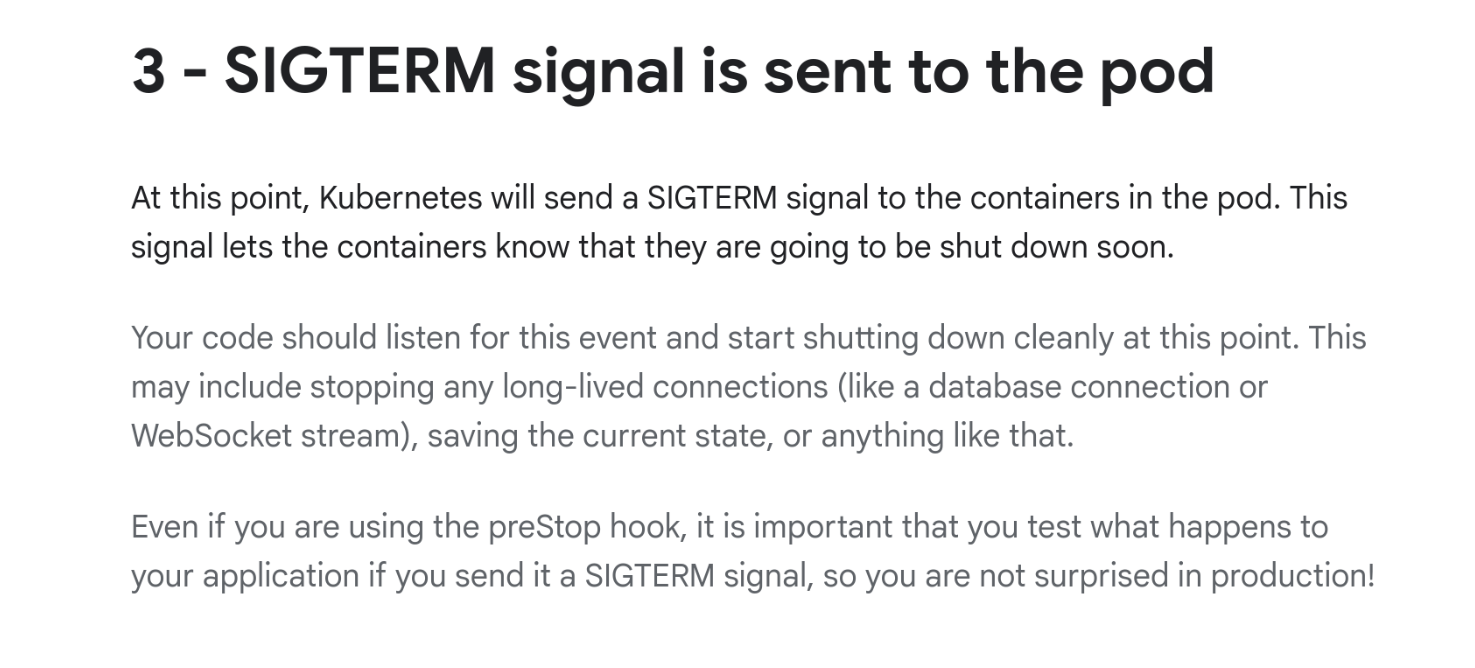
    <img src="/images/kubernetes-sigterm.png"  alt="A screenshot of Kubernetes documentation with: 3 - SIGTERM signal is sent to the pod. At this point, Kubernetes will send a SIGTERM signal to the containers in the pod. This signal lets the containers know that they are going to be shut down soon. Your code should listen for this event and start shutting down cleanly at this point. This may include stopping any long-lived connections (like a database connection or WebSocket stream), saving the current state, or anything like that..."   />
    
    
      <figcaption class="center" >Kubernetes on SIGTERM (<a href="https://cloud.google.com/blog/products/containers-kubernetes/kubernetes-best-practices-terminating-with-grace">source</a>).</figcaption>
    
  </figure>


<ul>
<li>
<p>You should care about signals if you&rsquo;re developing a <strong>service</strong>. You&rsquo;re likely going to be running under a service manager like Kubernetes, and the lifecycle generally involves signals.</p>
<p>This screenshot shows Kubernetes documentation explaining that when your service is shutting down, it will receive a <code>SIGTERM</code>. Docker works the same way with <code>docker stop</code>.</p>
<p>Note how the documentation advises that your code should &ldquo;listen for this event and start shutting down cleanly at this point&rdquo;.</p>
</li>
<li>
<p>You should also care about signals if you&rsquo;re developing a <strong>command-line tool</strong>. That&rsquo;s because your users are impatient and if they perceive your operation as being slow for any reason, they will hit Ctrl-C and send a signal to your process.</p>
</li>
</ul>
<p>How much do you need to care about signals?</p>
<ul>
<li>
<p>If you&rsquo;re a command like <code>ls</code> or <code>cat</code> and all you&rsquo;re doing is <strong>reading data</strong>, you probably don&rsquo;t need to care much about signals. You&rsquo;re not making any changes to the system so there&rsquo;s little that can go wrong if your process dies.</p>
</li>
<li>
<p>If you&rsquo;re <strong>writing data</strong>, it&rsquo;s definitely worth thinking about signal handling.</p>
<p>There are ways to arrange for your code to be resilient to sudden termination, such as <a href="https://crates.io/crates/atomicwrites">writing files atomically</a>, or using a database like <a href="https://www.sqlite.org/">SQLite</a>. But even if your code doesn&rsquo;t depend on correct signal handling, you can likely provide a better user experience if you do handle them.</p>
</li>
<li>
<p>Where you need to care most about signals is if you&rsquo;re <strong>orchestrating an operation</strong> in a distributed system. In those cases, if the process receives a signal locally, it may wish to send out cancellation messages over the wire.</p>
<p>Again, it&rsquo;s a good idea to make your system fault-tolerant and resilient to sudden termination&mdash;for example, by serializing state in a persistent store&mdash;but at the very least, signals give you the opportunity to perform cleanup that can otherwise be difficult to do.</p>
</li>
</ul>
<p><strong>Before we move on:</strong> In this post, we&rsquo;re going to focus on Unix, not Windows. We&rsquo;re also going to focus on <strong>portable</strong> signal handling, which means mechanisms that work on every Unix. Some Unix platforms offer alternative ways to handle signals<sup id="fnref:1"><a href="#fn:1" class="footnote-ref" role="doc-noteref">1</a></sup>, but this post will not be discussing them.</p>
<h3 id="a-basic-example">A basic example</h3>
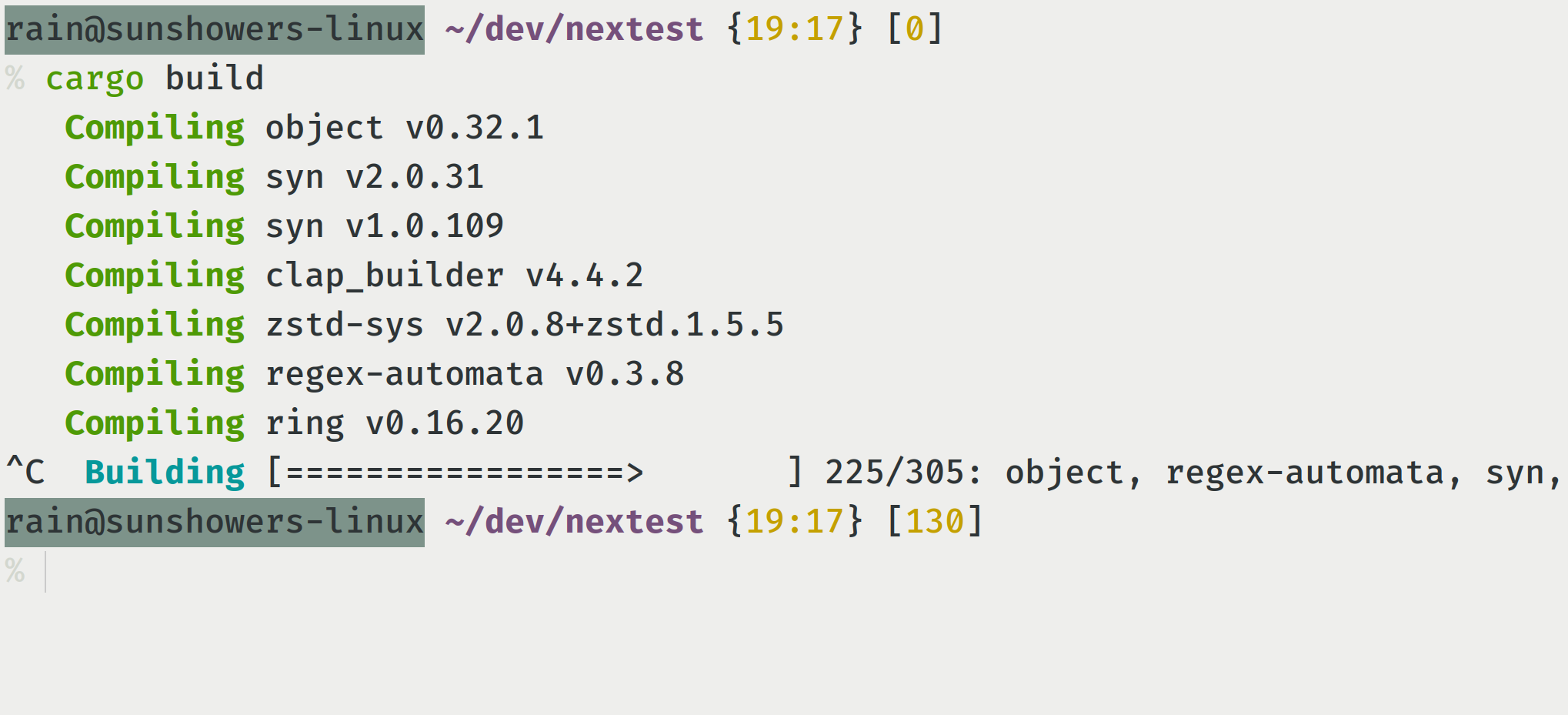
<p>Let&rsquo;s look at a simple example of a signal being sent to a process:</p>

  <figure class="center" >
    
    <img src="/images/signal-crime-scene.png"  alt="A screenshot of a terminal where `cargo build` was run, and Ctrl-C was pressed within a couple of seconds after. The last line shows &#34;Building 225/305: object, regex-automata, syn,&#34;."   />
    
    
  </figure>


<p>What happened here?</p>
<ol>
<li>I ran <code>cargo build</code>.</li>
<li>Then, a few seconds after, I hit Ctrl-C in my terminal.</li>
<li>The terminal sent a signal called <code>SIGINT</code> (where <code>INT</code> means &ldquo;interrupt&rdquo;) to the Cargo process.</li>
<li>The <code>SIGINT</code> signal caused the Cargo process, as well as all the Rust compiler processes underneath it, to be interrupted and terminated.</li>
</ol>
<p>This example shows the two uses of signals. One is as a standardized, widely understood way for the kernel to interrupt a process. The other is as a basic, limited way to perform <em>interprocess communication</em>, or <em>IPC</em>.</p>
<h3 id="sending-signals-via-kill">Sending signals via <code>kill</code></h3>
<p>Besides Ctrl-C and other shortcuts, the main way you’d be sending signals to processes on the command line is via <a href="https://www.man7.org/linux/man-pages/man1/kill.1.html">the <code>kill</code> command</a>.</p>
<ul>
<li>To send <code>SIGINT</code> or Ctrl-C, you can use <code>kill -INT &lt;pid&gt;</code>, where <code>&lt;pid&gt;</code> is the numeric process ID.</li>
<li>Each signal also has an associated number. For <code>SIGINT</code> the number is always 2, so another way of saying this is <code>kill -2 &lt;pid&gt;</code>.</li>
<li>If you don’t specify a signal and just say <code>kill &lt;pid&gt;</code>, it sends SIGTERM by default.</li>
</ul>
<p>Within a programmatic context, libc has <a href="https://man7.org/linux/man-pages/man2/kill.2.html">a <code>kill</code> function</a> you can call which does the same thing.</p>
<h3 id="signal-names-and-numbers">Signal names and numbers</h3>
<p>As mentioned above, each signal has a name and number associated with it. Some of those numbers are standardized across Unix platforms, while others aren&rsquo;t.</p>
<p>On Linux, if you type in <code>man 7 signal</code>, you&rsquo;ll see <a href="https://man7.org/linux/man-pages/man7/signal.7.html">a long list</a> of signals. Some of them are:</p>
<table>
	<thead>
			<tr>
					<th style="text-align: center">Name</th>
					<th style="text-align: center">Number</th>
					<th style="text-align: center">Default action</th>
			</tr>
	</thead>
	<tbody>
			<tr>
					<td style="text-align: center"><code>SIGINT</code></td>
					<td style="text-align: center">2</td>
					<td style="text-align: center">Terminate</td>
			</tr>
			<tr>
					<td style="text-align: center"><code>SIGTERM</code></td>
					<td style="text-align: center">15</td>
					<td style="text-align: center">Terminate</td>
			</tr>
			<tr>
					<td style="text-align: center"><code>SIGKILL</code></td>
					<td style="text-align: center">9</td>
					<td style="text-align: center">Terminate, can&rsquo;t customize</td>
			</tr>
			<tr>
					<td style="text-align: center"><code>SIGSEGV</code></td>
					<td style="text-align: center">11</td>
					<td style="text-align: center">Terminate and core dump</td>
			</tr>
			<tr>
					<td style="text-align: center"><code>SIGTSTP</code></td>
					<td style="text-align: center">Varies</td>
					<td style="text-align: center">Stop process</td>
			</tr>
			<tr>
					<td style="text-align: center"><code>SIGCONT</code></td>
					<td style="text-align: center">Varies</td>
					<td style="text-align: center">Resume process</td>
			</tr>
	</tbody>
</table>
<p>In this table:</p>
<ul>
<li>
<p><code>SIGKILL</code> is also known as <code>kill -9</code>, and it&rsquo;s a special signal used to kill a process. What sets <code>SIGKILL</code> apart is that unlike almost all other signals, its behavior can&rsquo;t be customized in any way.</p>
</li>
<li>
<p><code>SIGSEGV</code> might be familiar to you if you&rsquo;ve ever encountered a core dump. Somewhat surprisingly, the behavior of <code>SIGSEGV</code> <em>can</em> be customized. For example, the Rust standard library customizes <code>SIGSEGV</code>&rsquo;s behavior to detect <a href="/posts/rustc-segfault-illumos/">call stack exhaustion</a><sup id="fnref:2"><a href="#fn:2" class="footnote-ref" role="doc-noteref">2</a></sup>.</p>
</li>
<li>
<p><code>SIGTSTP</code> and <code>SIGCONT</code> are used for what is called &ldquo;<a href="https://en.wikipedia.org/wiki/Job_control_%28Unix%29">job control</a>&rdquo;. If you’ve ever used Ctrl-Z in <code>vim</code>, or the commands <code>fg</code> or <code>bg</code>, then they uses these signals<sup id="fnref:3"><a href="#fn:3" class="footnote-ref" role="doc-noteref">3</a></sup>.</p>
</li>
</ul>
<p>In general, all signals have a default action. Almost all of them also let you customize the default behavior, using what is called a <em>signal handler</em>.</p>
<h3 id="signal-handlers">Signal handlers</h3>
<p>A signal handler is a custom function that is used to intercept specific signals. Once a signal handler is set up, the kernel no longer follows the default action, calling the handler instead. In that sense, it’s a <em>reverse system call</em>, also known as an <em>upcall</em>.</p>
<p>For example, if you’re writing or reading data, you use a <em>system call</em> or <em>syscall</em> to perform that action&mdash;in that case, you’re calling the kernel. With an upcall, instead, the kernel calls you. (It&rsquo;s an &ldquo;upcall&rdquo; because the call goes &ldquo;up&rdquo;, not &ldquo;down&rdquo;).</p>
<p>Importantly, signal upcalls can happen at <em>almost any time</em>. And this is where we start running into issues.</p>
<h2 id="2-an-example">2. An example</h2>
<p>To see the sorts of issues that signal handlers can create, let’s walk through a specific example: that of a download manager.</p>

  <figure class="floatright" >
    
    <img src="/images/download-manager.png"  alt="Screenshot of a download manager on Windows XP. There are two windows visible, one in the background and one in the foreground. The background window is titled &#34;Internet Download Manager 5.11&#34; and has a list of partially and completely downloaded files in it. The foreground window says &#34;85% mult.avi&#34; and shows a download in progress."   />
    
    
      <figcaption class="center" >Screenshot of a download manager on Windows XP.</figcaption>
    
  </figure>


<p>Back in the 2000s, these programs were a lifesaver. I grew up with pretty terrible internet back then, and the download managers had several features that really helped. The most important feature was their ability to resume downloads, something that browsers didn&rsquo;t support back then.</p>
<p>For this post, we&rsquo;re going to work with a really simple download manager. Let&rsquo;s say you provide a bunch of URLs to a tool, which then downloads them in parallel and maintains their status in a database.</p>
<p>Now, let’s say we want to handle <code>SIGINT</code>. If the user hits Ctrl-C, we may want to follow a small set of sensible steps:</p>
<ul>
<li>Cancel all running downloads.</li>
<li>Flush any data to disk.</li>
<li>In the database, mark the state of these downloads as interrupted.</li>
</ul>
<p>Your first idea might be, &ldquo;let’s just put all this logic in a signal handler&rdquo;. Can you do that? The answer turns out to be that <strong>no, you can&rsquo;t do that.</strong> And <em>why</em> you can&rsquo;t do that is helpful at illustrating many of the pitfalls of signal handlers.</p>
<h3 id="why-are-signal-handlers-limited">Why are signal handlers limited?</h3>
<p>Earlier, I mentioned that signal handlers can be called <em>at any time</em>. It turns out that the ability to call a piece of code at any time is fraught with peril like little else in computing. This property of signal handlers is at the root of so many of the problems with them.</p>
<ul>
<li>
<p>For example, consider what happens if a signal handler is called while you’re holding a mutex or other lock. In general, trying to acquire the same lock again will result in a deadlock<sup id="fnref:4"><a href="#fn:4" class="footnote-ref" role="doc-noteref">4</a></sup>. So you can’t call functions that try to acquire a lock.</p>
<p>Well, which functions acquire locks? Even something as basic as <a href="https://man7.org/linux/man-pages/man3/malloc.3.html">allocating memory via <code>malloc</code></a> requires a lock, because it pokes at global structures. This means that you cannot allocate memory in a signal handler. This alone shuts off a large percentage of the things you can do in a signal handler.</p>
</li>
<li>
<p>Another joy of signal handling is that while a handler is running, your process can receive a different signal and invoke a second signal handler. As you might imagine, this is just very hard to reason about in practice.</p>
</li>
</ul>
<p>These aren&rsquo;t just theoretical concerns! You might have heard of <a href="https://cve.mitre.org/">the CVE database</a>, where security vulnerabilities are filed and listed. The CVE database has a lesser-known cousin called <a href="https://cwe.mitre.org/">the CWE database</a>, which lists out &ldquo;common weaknesses&rdquo; that result in security vulnerabilities. Within this database, there are no fewer than <em>four</em> weaknesses related to incorrect signal handlers:</p>
<ol>
<li><a href="https://cwe.mitre.org/data/definitions/364.html">CWE-364</a>: Signal Handler Race Condition</li>
<li><a href="https://cwe.mitre.org/data/definitions/432.html">CWE-432</a>: Dangerous Signal Handler not Disabled During Sensitive Operations</li>
<li><a href="https://cwe.mitre.org/data/definitions/479.html">CWE-479</a>: Signal Handler Use of a Non-reentrant Function</li>
<li><a href="https://cwe.mitre.org/data/definitions/828.html">CWE-828</a>: Signal Handler with Functionality that is not Asynchronous-Safe</li>
</ol>
<p>On Linux, <a href="https://man7.org/linux/man-pages/man7/signal-safety.7.html">the man page on <code>signal-safety</code></a> lists functions described by POSIX as okay to call in signal handlers, and it is pretty short. You can write to a file descriptor, but <code>malloc</code> is not allowed. You also can&rsquo;t open or seek a file.</p>
<p>The functions okay to call in signal handlers are called <strong>async-signal-safe functions</strong>. The term is a bit confusing! &ldquo;async&rdquo; here has nothing to do with async Rust. (In many ways it’s the opposite of async Rust, because the defining characteristic of async Rust is that you <em>cannot</em> just be interrupted or preempted at any time. You can only be interrupted at await points.)</p>
<h3 id="the-self-pipe-trick">The self-pipe trick</h3>

  <figure class="floatright" >
    
    <img src="/images/tips-and-tricks-piping.png"  alt="A photo of the needle of a sewing machine working on a pipe in the context of a garment, with the label &#34;Tips &amp; tricks for piping perfectionists&#34;."   />
    
    
      <figcaption class="center" >It&rsquo;s important to get your piping right (<a href="https://straight-grain.com/archives/13447">source</a>).</figcaption>
    
  </figure>


<p>So how do most modern programs handle signals? To understand that, we briefly need to introduce the concept of <a href="https://www.sitepoint.com/the-self-pipe-trick-explained/">the <em>self-pipe trick</em></a>. The trick uses a Unix feature called self-pipes, which have been described in the same breath as both &ldquo;wonderful&rdquo; and &ldquo;cursed&rdquo;: a high honor!</p>
<p>You might be familiar with pipes from having used them in shells via the namesake pipe (<code>|</code>) operator. For example, consider a typical <code>find | xargs</code> command.</p>
<ul>
<li>When this command is run, the shell creates a <em>pipe</em>.</li>
<li>Each pipe has a <em>write end</em> and a <em>read end</em>.</li>
<li>In the case of <code>find | xargs</code>, the write end is held by <code>find</code>, and the read end by <code>xargs</code>.</li>
</ul>
<p>A self-pipe is just a kind of pipe where the write and read ends are held by the same process.</p>
<p>Now, you might ask, &ldquo;what&rsquo;s the point of this?&rdquo; And you&rsquo;d be right to do so! Most of the time they don’t add any value. But they do add value in the specific context of signal handlers, because they let programs write signal handlers that are as simple as possible.</p>
<ul>
<li>The program starts by creating a self-pipe.</li>
<li>It then hands the write end of the pipe to a signal handler, and holds on to the read end.</li>
<li>Then, the signal handler writes to that self-pipe. This is safe to do, because a pipe is a file descriptor, and writing to a file descriptor is async-signal-safe.</li>
<li>Then, the program reads from the self-pipe elsewhere.</li>
</ul>
<p>Most C programs do this by hand, but in Rust you don’t have to write this delicate pattern manually. There are several crates which implement this pattern, <a href="https://docs.rs/signal-hook/">like <code>signal-hook</code></a>, and most people just use one of them.</p>
<h3 id="now-what">Now what?</h3>
<p>Going back to the download manager example: Let’s say you write to a pipe, indicating that Ctrl-C has been pressed. How do you handle the read side of the pipe? Once you’ve received a signal, how do you handle it?</p>
<ol>
<li>
<p>One option is to set some kind of <strong>global flag</strong>, and check whether you&rsquo;ve received a signal at every iteration of a loop&ndash;or maybe every Nth iteration of a loop.</p>
<p>This works fine for small programs that are CPU-bound, but isn’t really scalable to large programs because those tend to have lots of loops in them (are you really going to add checks to every loop?)</p>
<p>Large programs are I/O bound anyway, and it&rsquo;s a bit hard to check for signals while you&rsquo;re waiting for some network operation to complete.</p>
</li>
<li>
<p>Another potential solution: Store all the state behind a mutex, and <strong>wrest control of the program</strong> by locking out all the workers. This is a solution that some programs use, but it is really difficult to coordinate state between the workers and the signal handler. I really wouldn’t recommend following this approach.</p>
</li>
<li>
<p>The most reasonable approach for I/O-bound programs is to use <strong>message passing</strong>, where the parts of a program that deal with signals are notified that a signal has occurred.</p>
<p>This is possible to do in a synchronous model, but, as I&rsquo;ve documented in my previous post about <a href="/posts/nextest-and-tokio/">how nextest uses Tokio</a>, it adds a great deal of unbounded complexity. What happens in practice is that you inevitably create a nest of threads whose only responsibility is to pass messages around.</p>
</li>
</ol>
<p>The good news is that dealing with messages is much, much simpler with async Rust.</p>
<h3 id="why-async-rust">Why async Rust?</h3>
<p>At this point you might ask: &ldquo;I’m just a simple downloader tool, why would I need async for this?&rdquo;</p>
<p>Async Rust is presented as being for massively concurrent web or backend servers, but a secret about it is that that is just marketing. The scope of problems async Rust solves is much broader, and it happens to be incredibly well suited to signal handling for most programs. This is because async Rust provides some very expressive ways to perform advanced control flow, making such code readable without sacrificing performance.</p>
<p>To see how, we&rsquo;re going to use Tokio&rsquo;s signal handling functionality, which under the hood uses the same self-pipe trick mentioned above<sup id="fnref:5"><a href="#fn:5" class="footnote-ref" role="doc-noteref">5</a></sup>. Here’s what a very simple example of Ctrl-C looks like under async Rust:</p>
<div class="highlight"><pre tabindex="0" class="chroma"><code class="language-rust" data-lang="rust"><span class="line"><span class="cl"><span class="k">use</span><span class="w"> </span><span class="n">tokio</span>::<span class="n">signal</span>::<span class="n">unix</span>::<span class="p">{</span><span class="n">signal</span><span class="p">,</span><span class="w"> </span><span class="n">SignalKind</span><span class="p">};</span><span class="w">
</span></span></span><span class="line"><span class="cl"><span class="w">
</span></span></span><span class="line"><span class="cl"><span class="kd">let</span><span class="w"> </span><span class="k">mut</span><span class="w"> </span><span class="n">ctrl_c_stream</span><span class="w"> </span><span class="o">=</span><span class="w"> </span><span class="n">signal</span><span class="p">(</span><span class="n">SignalKind</span>::<span class="n">interrupt</span><span class="p">())</span><span class="o">?</span><span class="p">;</span><span class="w">
</span></span></span><span class="line"><span class="cl"><span class="k">loop</span><span class="w"> </span><span class="p">{</span><span class="w">
</span></span></span><span class="line"><span class="cl"><span class="w">    </span><span class="n">ctrl_c_stream</span><span class="p">.</span><span class="n">recv</span><span class="p">().</span><span class="k">await</span><span class="p">;</span><span class="w">
</span></span></span><span class="line"><span class="cl"><span class="w">    </span><span class="fm">println!</span><span class="p">(</span><span class="s">&#34;got SIGINT&#34;</span><span class="p">);</span><span class="w">
</span></span></span><span class="line"><span class="cl"><span class="p">}</span><span class="w">
</span></span></span></code></pre></div><p>In this example:</p>
<ul>
<li>The code sets up a stream of <a href="https://docs.rs/tokio/1/tokio/signal/unix/struct.SignalKind.html#method.interrupt"><code>SignalKind::interrupt</code></a> or Ctrl-C signals, then <code>await</code>ing the <code>recv</code> method.</li>
<li>The <code>recv</code> method resolves each time the process receives Ctrl-C.</li>
</ul>
<p>Now, this isn’t very special by itself; you can easily implement this with synchronous code. But this model really shines in more complex code paths, because of async Rust&rsquo;s ability to perform <strong>heterogenous selects</strong> <a href="https://docs.rs/tokio/1/tokio/macro.select.html">via <code>tokio::select!</code></a>.</p>
<p>For a detailed discussion of heterogenous selects, see <a href="/posts/nextest-and-tokio/#what-are-heterogenous-selects">my earlier post</a> about them. But a quick summary is that <code>tokio::select!</code> is a powerful control flow tool that waits for a set of futures to be ready concurrently, and resolves as soon as one of them completes.</p>
<p>What makes <code>tokio::select</code> really special is it doesn’t just work against specific kinds of asynchronicity, but against any arbitrary, <em>heterogenous</em> source of asynchronicity: signals, timers, any async function&ndash;you name it. As a result, <code>tokio::select!</code> is a great fit for signal handling<sup id="fnref:6"><a href="#fn:6" class="footnote-ref" role="doc-noteref">6</a></sup>.</p>
<h3 id="implementing-signal-handling-using-tokioselect">Implementing signal handling using <code>tokio::select!</code></h3>
<p>Going back to our download manager example, let&rsquo;s try using <code>tokio::select!</code>. There are a few ways to organize this, but here&rsquo;s one way.</p>
<p>We’re going to briefly introduce two constructs that make our life simpler:</p>
<ol>
<li><a href="https://docs.rs/tokio/1/tokio/task/struct.JoinSet.html">The <code>JoinSet</code> type</a>, which stands for a set of worker <em>tasks</em> (not threads!) that are running in parallel.</li>
<li><a href="https://docs.rs/tokio/1/tokio/sync/broadcast/index.html">Broadcast channels</a>, which allows a single producer to send messages to multiple consumers. The idea here is that the main task will receive signals, and then broadcast them to workers.</li>
</ol>
<hr>
<p>Here&rsquo;s how the main function works:</p>
<ol>
<li>Create a <code>JoinSet</code> and a broadcast channel.</li>
<li>Spin up a stream of <code>SIGINT</code> signals, as before.</li>
<li>Spawn a task for each worker on the <code>JoinSet</code>, and pass in a receiver for broadcast messages.</li>
</ol>
<details>
<summary>Click to expand code sample</summary>
<div class="highlight"><pre tabindex="0" class="chroma"><code class="language-rust" data-lang="rust"><span class="line"><span class="cl"><span class="cp">#[tokio::main]</span><span class="w">
</span></span></span><span class="line"><span class="cl"><span class="k">async</span><span class="w"> </span><span class="k">fn</span> <span class="nf">main</span><span class="p">()</span><span class="w"> </span><span class="p">{</span><span class="w">
</span></span></span><span class="line"><span class="cl"><span class="w">    </span><span class="kd">let</span><span class="w"> </span><span class="n">to_download</span><span class="w"> </span><span class="o">=</span><span class="w"> </span><span class="cm">/* ... */</span><span class="p">;</span><span class="w">
</span></span></span><span class="line"><span class="cl"><span class="w">    </span><span class="c1">// Make a JoinSet.
</span></span></span><span class="line"><span class="cl"><span class="w">    </span><span class="kd">let</span><span class="w"> </span><span class="k">mut</span><span class="w"> </span><span class="n">join_set</span><span class="w"> </span><span class="o">=</span><span class="w"> </span><span class="n">JoinSet</span>::<span class="n">new</span><span class="p">();</span><span class="w">
</span></span></span><span class="line"><span class="cl"><span class="w">    </span><span class="c1">// Also make a broadcast channel.
</span></span></span><span class="line"><span class="cl"><span class="w">    </span><span class="kd">let</span><span class="w"> </span><span class="p">(</span><span class="n">sender</span><span class="p">,</span><span class="w"> </span><span class="n">receiver</span><span class="p">)</span><span class="w"> </span><span class="o">=</span><span class="w"> </span><span class="n">broadcast</span>::<span class="n">channel</span><span class="p">(</span><span class="mi">16</span><span class="p">);</span><span class="w">
</span></span></span><span class="line"><span class="cl"><span class="w">
</span></span></span><span class="line"><span class="cl"><span class="w">    </span><span class="c1">// Spin up a stream of SIGINT signals.
</span></span></span><span class="line"><span class="cl"><span class="w">    </span><span class="kd">let</span><span class="w"> </span><span class="k">mut</span><span class="w"> </span><span class="n">ctrl_c_stream</span><span class="w"> </span><span class="o">=</span><span class="w"> </span><span class="n">signal</span><span class="p">(</span><span class="n">SignalKind</span>::<span class="n">interrupt</span><span class="p">()).</span><span class="n">unwrap</span><span class="p">();</span><span class="w">
</span></span></span><span class="line"><span class="cl"><span class="w">
</span></span></span><span class="line"><span class="cl"><span class="w">    </span><span class="c1">// Spawn a task for each worker, passing in a broadcast receiver.
</span></span></span><span class="line"><span class="cl"><span class="w">    </span><span class="k">for</span><span class="w"> </span><span class="n">args</span><span class="w"> </span><span class="k">in</span><span class="w"> </span><span class="n">to_download</span><span class="w"> </span><span class="p">{</span><span class="w">
</span></span></span><span class="line"><span class="cl"><span class="w">        </span><span class="kd">let</span><span class="w"> </span><span class="n">receiver</span><span class="w"> </span><span class="o">=</span><span class="w"> </span><span class="n">sender</span><span class="p">.</span><span class="n">subscribe</span><span class="p">();</span><span class="w">
</span></span></span><span class="line"><span class="cl"><span class="w">        </span><span class="n">join_set</span><span class="p">.</span><span class="n">spawn</span><span class="p">(</span><span class="n">worker_fn</span><span class="p">(</span><span class="n">args</span><span class="p">,</span><span class="w"> </span><span class="n">receiver</span><span class="p">));</span><span class="w">
</span></span></span><span class="line"><span class="cl"><span class="w">    </span><span class="p">}</span><span class="w">
</span></span></span><span class="line"><span class="cl"><span class="w">
</span></span></span><span class="line"><span class="cl"><span class="w">    </span><span class="c1">// ... continued below
</span></span></span><span class="line"><span class="cl"><span class="p">}</span><span class="w">
</span></span></span></code></pre></div></details>
<p>Next, the main function needs to wait for results from all the workers. How would we do it if we weren&rsquo;t handling signals? Well, in that case we would loop and wait for each worker task to finish until they&rsquo;re all done, handling errors along the way.</p>
<details>
<summary>Click to expand code sample</summary>
<div class="highlight"><pre tabindex="0" class="chroma"><code class="language-rust" data-lang="rust"><span class="line"><span class="cl"><span class="c1">// continued from above...
</span></span></span><span class="line"><span class="cl"><span class="k">loop</span><span class="w"> </span><span class="p">{</span><span class="w">
</span></span></span><span class="line"><span class="cl"><span class="w">    </span><span class="kd">let</span><span class="w"> </span><span class="n">v</span><span class="w"> </span><span class="o">=</span><span class="w"> </span><span class="n">join_set</span><span class="p">.</span><span class="n">join_next</span><span class="p">().</span><span class="k">await</span><span class="p">;</span><span class="w">
</span></span></span><span class="line"><span class="cl"><span class="w">    </span><span class="k">if</span><span class="w"> </span><span class="kd">let</span><span class="w"> </span><span class="nb">Some</span><span class="p">(</span><span class="n">result</span><span class="p">)</span><span class="w"> </span><span class="o">=</span><span class="w"> </span><span class="n">v</span><span class="w"> </span><span class="p">{</span><span class="w">
</span></span></span><span class="line"><span class="cl"><span class="w">        </span><span class="c1">// Handle result...
</span></span></span><span class="line"><span class="cl"><span class="w">    </span><span class="p">}</span><span class="w"> </span><span class="k">else</span><span class="w"> </span><span class="p">{</span><span class="w">
</span></span></span><span class="line"><span class="cl"><span class="w">        </span><span class="c1">// No more downloads left
</span></span></span><span class="line"><span class="cl"><span class="w">        </span><span class="k">break</span><span class="p">;</span><span class="w">
</span></span></span><span class="line"><span class="cl"><span class="w">    </span><span class="p">}</span><span class="w">
</span></span></span><span class="line"><span class="cl"><span class="p">}</span><span class="w">
</span></span></span></code></pre></div></details>
<p>To handle signals, we use a <code>tokio::select!</code> with two branches from which items are fetched in parallel:</p>
<ol>
<li>The first branch waits for worker tasks to be done with the same code as above</li>
<li>The second branch awaits a Ctrl-C message from the stream.</li>
</ol>
<details>
<summary>Click to expand code sample</summary>
<div class="highlight"><pre tabindex="0" class="chroma"><code class="language-rust" data-lang="rust"><span class="line"><span class="cl"><span class="k">enum</span> <span class="nc">CancelKind</span><span class="w"> </span><span class="p">{</span><span class="w">
</span></span></span><span class="line"><span class="cl"><span class="w">    </span><span class="n">Interrupt</span><span class="p">,</span><span class="w">
</span></span></span><span class="line"><span class="cl"><span class="p">}</span><span class="w">
</span></span></span><span class="line"><span class="cl"><span class="w">
</span></span></span><span class="line"><span class="cl"><span class="k">loop</span><span class="w"> </span><span class="p">{</span><span class="w">
</span></span></span><span class="line"><span class="cl"><span class="w">    </span><span class="n">tokio</span>::<span class="fm">select!</span><span class="w"> </span><span class="p">{</span><span class="w">
</span></span></span><span class="line"><span class="cl"><span class="w">        </span><span class="n">v</span><span class="w"> </span><span class="o">=</span><span class="w"> </span><span class="n">join_set</span><span class="p">.</span><span class="n">join_next</span><span class="p">()</span><span class="w"> </span><span class="o">=&gt;</span><span class="w"> </span><span class="p">{</span><span class="w">
</span></span></span><span class="line"><span class="cl"><span class="w">            </span><span class="k">if</span><span class="w"> </span><span class="kd">let</span><span class="w"> </span><span class="nb">Some</span><span class="p">(</span><span class="n">result</span><span class="p">)</span><span class="w"> </span><span class="o">=</span><span class="w"> </span><span class="n">v</span><span class="w"> </span><span class="p">{</span><span class="w">
</span></span></span><span class="line"><span class="cl"><span class="w">                </span><span class="c1">// Handle result...
</span></span></span><span class="line"><span class="cl"><span class="w">            </span><span class="p">}</span><span class="w"> </span><span class="k">else</span><span class="w"> </span><span class="p">{</span><span class="w">
</span></span></span><span class="line"><span class="cl"><span class="w">                </span><span class="c1">// No more downloads left
</span></span></span><span class="line"><span class="cl"><span class="w">                </span><span class="k">break</span><span class="p">;</span><span class="w">
</span></span></span><span class="line"><span class="cl"><span class="w">            </span><span class="p">}</span><span class="w">
</span></span></span><span class="line"><span class="cl"><span class="w">        </span><span class="p">}</span><span class="w">
</span></span></span><span class="line"><span class="cl"><span class="w">        </span><span class="nb">Some</span><span class="p">(</span><span class="n">_</span><span class="p">)</span><span class="w"> </span><span class="o">=</span><span class="w"> </span><span class="n">ctrl_c_stream</span><span class="p">.</span><span class="n">recv</span><span class="p">()</span><span class="w"> </span><span class="o">=&gt;</span><span class="w"> </span><span class="p">{</span><span class="w">
</span></span></span><span class="line"><span class="cl"><span class="w">            </span><span class="n">sender</span><span class="p">.</span><span class="n">send</span><span class="p">(</span><span class="n">CancelKind</span>::<span class="n">Interrupt</span><span class="p">);</span><span class="w">
</span></span></span><span class="line"><span class="cl"><span class="w">        </span><span class="p">}</span><span class="w">
</span></span></span><span class="line"><span class="cl"><span class="w">    </span><span class="p">}</span><span class="w">
</span></span></span><span class="line"><span class="cl"><span class="p">}</span><span class="w">
</span></span></span></code></pre></div></details>
<hr>
<p>Now let&rsquo;s look at the worker function. We first write our download function within an async block:</p>
<details>
<summary>Click to expand code sample</summary>
<div class="highlight"><pre tabindex="0" class="chroma"><code class="language-rust" data-lang="rust"><span class="line"><span class="cl"><span class="k">async</span><span class="w"> </span><span class="k">fn</span> <span class="nf">worker_fn</span><span class="p">(</span><span class="n">args</span>: <span class="nc">Args</span><span class="p">,</span><span class="w"> </span><span class="n">receiver</span>: <span class="nc">Receiver</span><span class="o">&lt;</span><span class="n">CancelKind</span><span class="o">&gt;</span><span class="p">)</span><span class="w"> </span>-&gt; <span class="nb">Result</span><span class="o">&lt;</span><span class="p">()</span><span class="o">&gt;</span><span class="w"> </span><span class="p">{</span><span class="w">
</span></span></span><span class="line"><span class="cl"><span class="w">    </span><span class="kd">let</span><span class="w"> </span><span class="k">mut</span><span class="w"> </span><span class="n">op</span><span class="w"> </span><span class="o">=</span><span class="w"> </span><span class="k">async</span><span class="w"> </span><span class="p">{</span><span class="w">
</span></span></span><span class="line"><span class="cl"><span class="w">        </span><span class="n">args</span><span class="p">.</span><span class="n">db</span><span class="p">.</span><span class="n">update_state</span><span class="p">(</span><span class="o">&amp;</span><span class="n">args</span><span class="p">.</span><span class="n">url</span><span class="p">,</span><span class="w"> </span><span class="n">Downloading</span><span class="p">).</span><span class="k">await</span><span class="o">?</span><span class="p">;</span><span class="w">
</span></span></span><span class="line"><span class="cl"><span class="w">        </span><span class="n">download_url_to</span><span class="p">(</span><span class="o">&amp;</span><span class="n">args</span><span class="p">.</span><span class="n">url</span><span class="p">,</span><span class="w"> </span><span class="o">&amp;</span><span class="n">args</span><span class="p">.</span><span class="n">file</span><span class="p">).</span><span class="k">await</span><span class="o">?</span><span class="p">;</span><span class="w">
</span></span></span><span class="line"><span class="cl"><span class="w">        </span><span class="n">args</span><span class="p">.</span><span class="n">db</span><span class="p">.</span><span class="n">update_state</span><span class="p">(</span><span class="o">&amp;</span><span class="n">args</span><span class="p">.</span><span class="n">url</span><span class="p">,</span><span class="w"> </span><span class="n">Completed</span><span class="p">).</span><span class="k">await</span><span class="o">?</span><span class="p">;</span><span class="w">
</span></span></span><span class="line"><span class="cl"><span class="w">        </span><span class="nb">Ok</span><span class="p">(())</span><span class="w">
</span></span></span><span class="line"><span class="cl"><span class="w">    </span><span class="p">};</span><span class="w">
</span></span></span><span class="line"><span class="cl"><span class="w">
</span></span></span><span class="line"><span class="cl"><span class="w">    </span><span class="c1">// ...
</span></span></span><span class="line"><span class="cl"><span class="p">}</span><span class="w">
</span></span></span></code></pre></div></details>
<p>Then, just like earlier, we write a loop with a <code>tokio::select!</code> over two options:</p>
<ol>
<li>The first branch drives the operation forward.</li>
<li>The second branch waits for cancellation messages over the broadcast channel.</li>
</ol>
<details>
<summary>Click to expand code sample</summary>
<div class="highlight"><pre tabindex="0" class="chroma"><code class="language-rust" data-lang="rust"><span class="line"><span class="cl"><span class="k">loop</span><span class="w"> </span><span class="p">{</span><span class="w">
</span></span></span><span class="line"><span class="cl"><span class="w">    </span><span class="n">tokio</span>::<span class="fm">select!</span><span class="w"> </span><span class="p">{</span><span class="w">
</span></span></span><span class="line"><span class="cl"><span class="w">        </span><span class="c1">// 1. Drive the operation forward.
</span></span></span><span class="line"><span class="cl"><span class="w">        </span><span class="n">res</span><span class="w"> </span><span class="o">=</span><span class="w"> </span><span class="o">&amp;</span><span class="k">mut</span><span class="w"> </span><span class="n">op</span><span class="w"> </span><span class="o">=&gt;</span><span class="w"> </span><span class="k">return</span><span class="w"> </span><span class="n">res</span><span class="p">,</span><span class="w">
</span></span></span><span class="line"><span class="cl"><span class="w">
</span></span></span><span class="line"><span class="cl"><span class="w">        </span><span class="c1">// 2. Wait for cancellation messages over the broadcast channel.
</span></span></span><span class="line"><span class="cl"><span class="w">        </span><span class="nb">Ok</span><span class="p">(</span><span class="n">message</span><span class="p">)</span><span class="w"> </span><span class="o">=</span><span class="w"> </span><span class="n">receiver</span><span class="p">.</span><span class="n">recv</span><span class="p">()</span><span class="w"> </span><span class="o">=&gt;</span><span class="w"> </span><span class="p">{</span><span class="w">
</span></span></span><span class="line"><span class="cl"><span class="w">            </span><span class="c1">// Handle the cancellation message received.
</span></span></span><span class="line"><span class="cl"><span class="w">        </span><span class="p">}</span><span class="w">
</span></span></span><span class="line"><span class="cl"><span class="w">    </span><span class="p">}</span><span class="w">
</span></span></span><span class="line"><span class="cl"><span class="p">}</span><span class="w">
</span></span></span></code></pre></div></details>
<hr>
<p>What makes this model tick is how well it scales up to additional complexity. Two specific examples that are handled well by this model:</p>
<ol>
<li>First, you’ll likely want to handle other signals like <code>SIGTERM</code>, since <code>SIGINT</code> isn’t the only signal you’d receive.</li>
<li>Another common extension is to use what is sometimes called a <em>double Ctrl-C pattern</em>. The first time the user hits Ctrl-C, you attempt to shut down the database cleanly, but the second time you encounter it, you give up and exit immediately.</li>
</ol>
<p>A fully working example of the download manager described above is <a href="https://github.com/sunshowers/rustconf-2023-signals">in the demo repository</a>. These two extensions are marked as exercises for you to complete; try solving them!</p>
<h2 id="3-going-deeper">3. Going deeper</h2>
<p>If all you&rsquo;re doing is orchestrating an external operation like downloading files, then this is most of what you need to know. But a lot of the really interesting details about signals lie when you&rsquo;re spawning processes&mdash;such as if you&rsquo;re a shell, or a test runner like nextest. There is far too much to talk about here, but we’re going to go deeper into one particular example.</p>
<h3 id="process-groups">Process groups</h3>
<p>In part 1, I mentioned that if you press Ctrl-C, the shell sends <code>SIGINT</code> to the process you&rsquo;re running. That isn&rsquo;t quite correct; I fibbed a little! The truth is that the shell actually sends the signal to what is called a <strong>process group</strong>.</p>
<p>What is a process group? In Unix, processes can be organized into groups, each with its own unique identifier. Process groups allow a set of processes to be sent a signal at once. The shell creates a new process group for the command and its children, assigning them a unique group ID. This allows the shell to manage the processes as a unit, sending signals to the entire group at once.</p>
<p>On Linux, you can print process groups with a command like <code>ps fo pid,pgid,comm</code>. (Other Unix platforms have their own <code>ps</code> flags to display similar output.) For example, if you run this command while <code>cargo build</code> is running in another terminal, you might get some output that looks like this:</p>
<div class="highlight"><pre tabindex="0" class="chroma"><code class="language-console" data-lang="console"><span class="line"><span class="cl"><span class="gp">$</span> ps fo pid,pgid,comm
</span></span><span class="line"><span class="cl"><span class="go">   PID    PGID  COMMAND
</span></span></span><span class="line"><span class="cl"><span class="go">  1528    1528  zsh
</span></span></span><span class="line"><span class="cl"><span class="go">  4100    4100   \_ cargo
</span></span></span><span class="line"><span class="cl"><span class="go">  4261    4100       \_ rustc
</span></span></span><span class="line"><span class="cl"><span class="go">  4587    4100       \_ rustc
</span></span></span><span class="line"><span class="cl"><span class="go">  4640    4100       \_ rustc
</span></span></span></code></pre></div><p>In this case:</p>
<ul>
<li>The <code>zsh</code> shell created a <code>cargo</code> process numbered <code>4100</code>.</li>
<li>When <code>zsh</code> did that, it also created a corresponding process group with the same number.</li>
<li>When <code>cargo build</code> ran <code>rustc</code>, those process groups were inherited.</li>
</ul>
<p>Recall from earlier that if you want to send <code>SIGINT</code> to a process via the <code>kill</code> command, you’d use <code>kill -INT &lt;pid&gt;</code>.</p>
<ul>
<li>If you want to send <code>SIGINT</code> to a process <em>group</em>, in very typical Unix fashion you have to use a negative number.</li>
<li>For example, if you run <code>kill -INT -4100</code>, the <code>SIGINT</code> signal gets sent atomically to the whole process group numbered <code>4100</code>: the process, its children, grandchildren, everything.</li>
</ul>
<p>And that’s what really happens when you hit Ctrl-C: both the <code>cargo</code> process itself and all the child <code>rustc</code> processes are terminated by this signal sent to the process group.</p>
<h3 id="making-your-own-process-groups">Making your own process groups</h3>
<p>Let’s say that you&rsquo;re a test runner like nextest. What if you want to join the party? For example, it&rsquo;s common for tests to spin up servers in another process to communicate with. A test runner that terminates a test likely also wants to kill off any processes created by that test.</p>

  <figure class="center" >
    
    <img src="/images/pgroup.png"  alt="A screenshot of part of Rust&#39;s `std::os::unix::process::CommandExt`, with one method selected: fn process_group(&amp;mut self, pgroup: i32) -&gt; &amp;mut Command."   />
    
    
  </figure>


<p>To set the process group for a process, Unix provides a function called <a href="https://pubs.opengroup.org/onlinepubs/9799919799/functions/setpgid.html"><code>setpgid</code></a>. In Rust, access to this is provided via the <code>CommandExt</code> extension trait&rsquo;s <a href="https://doc.rust-lang.org/std/os/unix/process/trait.CommandExt.html#tymethod.process_group"><code>process_group</code> method</a>.</p>
<p>Most of the time, you&rsquo;ll want to pass in <code>-1</code> for the process group, which means that the kernel will create a new process group for you with the same number as the process ID.</p>
<h3 id="forwarding-signals-to-child-process-groups">Forwarding signals to child process groups</h3>
<p>Let&rsquo;s say you&rsquo;re a command-line process that is using process groups to manage its children. What happens if the user hits Ctrl-C?</p>
<p>You might assume that process groups form some sort of tree. Just like with the notion of a tree of processes with parent and child processes, you might imagine that process groups follow a similar pattern.</p>
<p>In reality: no, <strong>process groups don&rsquo;t form a tree</strong>. Each process group is its own island.</p>
<p>This means that as a <em>boundary process</em> which manages process groups of your own, it is your responsibility to forward signals to child process groups.</p>
<p>(This is quite easy to fit into our async Rust model: the worker tasks, on receiving a broadcast message, send the corresponding signal to the process groups that they’re responsible for.)</p>
<p>Most programs would want to behave as similarly as possible to the world where they didn’t set up process groups. To achieve that you’ll want to at least forward these signals:</p>
<p><strong>To match behavior,</strong> for signals that are typically sent to process groups:</p>
<ul>
<li>
<p><code>SIGINT</code> (Ctrl-C).</p>
</li>
<li>
<p><code>SIGQUIT</code> (Ctrl-\).</p>
</li>
<li>
<p><code>SIGTSTP</code> (Ctrl-Z), and <code>SIGCONT</code> (<code>fg</code> or <code>bg</code>).</p>
<p>These two signals are interesting to handle in nextest: if you have timers running for your processes, for example if you want to timeout and kill process groups, you can combine <code>SIGTSTP</code> and <code>SIGCONT</code> with async Rust to pause and resume those timers. (There is also a deep story about an issue in POSIX lurking here, which I&rsquo;ll cover in a sequel to this post.)</p>
</li>
</ul>
<p><strong>Also consider</strong>, to meet user expectations, forwarding <code>SIGTERM</code> and other signals. These signals are not always sent to process groups, but it would make sense to forward them.</p>
<h2 id="4-conclusion-echoes-of-the-past">4. Conclusion: echoes of the past</h2>

  <figure class="floatright" >
    
    <img src="/images/signal-tower.jpg"  alt="A photo of an abandoned microwave tower with graffiti all over its decaying sides. The tower is surrounded by a barbed wire fence, semiotically acting as both a beacon and a warning to stay away."   />
    
    
      <figcaption class="center" >An abandoned microwave tower in the Santa Monica Mountains, California (<a href="https://www.wired.com/2015/03/spencer-harding-the-long-lines/">source</a>).</figcaption>
    
  </figure>


<p>Signals are a fundamental part of the computing landscape, a legacy of design decisions made decades ago. They are a reminder that the systems we build today are shaped by the choices of the past, and that even the most well-intentioned innovations can have unintended consequences.</p>
<p>In <a href="https://www.tuhs.org/pipermail/tuhs/2015-September/007509.html">the words of Doug McIlroy</a>, creator of Unix pipes:</p>
<blockquote>
<p><code>Signal()</code> was there first and foremost to support <code>SIGKILL</code>; it
did not purport to provide a sound basis for asynchronous IPC.
The complexity of <code>sigaction()</code> is evidence that asynchrony remains
untamed 40 years on.</p>
</blockquote>
<p>Signals, for all their utility, were never meant to be the foundation of interprocess communication that they have become today. Yet we have found ways to adapt and evolve them to our needs, working around their limitations and turning them into opportunities.</p>
<p>Indeed, this is the essence of computing, and of technology itself: a story of creativity in the face of constraint, and of building upon the foundations of the past to create something new and beautiful.</p>
<p><em>I hope this post has shed some light on the fascinating world of Unix signals, and perhaps even inspired you to think closely about the systems you build. If you&rsquo;ll be at RustConf in Montreal, come find me: I&rsquo;d love to chat more about this and hear your own stories about signals, or of other intricate systems with long-forgotten design decisions. See you there!</em></p>
<p><em>Thanks to <a href="https://infosec.exchange/@munin">Fiona</a> for reviewing a draft of this post.</em></p>
</div>
<div class="footnotes" role="doc-endnotes">
<hr>
<ol>
<li id="fn:1">
<p>One example is <a href="https://man7.org/linux/man-pages/man2/signalfd4.2.html">signalfd</a> on Linux. There is much to be said about signalfd, but it is outside the scope of this post.&#160;<a href="#fnref:1" class="footnote-backref" role="doc-backlink">&#x21a9;&#xfe0e;</a></p>
</li>
<li id="fn:2">
<p>Some other language runtimes do much, much worse things with <code>SIGSEGV</code>. Here&rsquo;s <a href="https://jcdav.is/2015/10/06/SIGSEGV-as-control-flow/">what Java does</a>.&#160;<a href="#fnref:2" class="footnote-backref" role="doc-backlink">&#x21a9;&#xfe0e;</a></p>
</li>
<li id="fn:3">
<p>If you haven’t, by the way, check it out! It’s one of the cooler parts of Unix.&#160;<a href="#fnref:3" class="footnote-backref" role="doc-backlink">&#x21a9;&#xfe0e;</a></p>
</li>
<li id="fn:4">
<p>If you&rsquo;ve dealt with locks you might have heard of the concept of <em>recursive</em> or <em>re-entrant locks</em>, which are locks that can be acquired by the same thread as many times as desired. Recursive locks often indicate <a href="https://blog.stephencleary.com/2013/04/recursive-re-entrant-locks.html">a design flaw</a>, because the goal of a lock is to temporarily violate invariants that are otherwise upheld outside of its context.</p>
<p>But more importantly, it isn&rsquo;t guaranteed that signal handlers are going to be called on the same thread! So even recursive locks might deadlock when it comes to signal handlers.&#160;<a href="#fnref:4" class="footnote-backref" role="doc-backlink">&#x21a9;&#xfe0e;</a></p>
</li>
<li id="fn:5">
<p>Under the hood, Tokio uses <a href="https://github.com/tokio-rs/mio">mio</a>, which uses a self-pipe for its portable implementation. But on some platforms such as Linux, mio uses <a href="https://man7.org/linux/man-pages/man2/eventfd.2.html">eventfd</a>. This is an extension to Unix that is quite similar to self-pipes, and from the perspective of signal handlers serves the same purpose.&#160;<a href="#fnref:5" class="footnote-backref" role="doc-backlink">&#x21a9;&#xfe0e;</a></p>
</li>
<li id="fn:6">
<p>There&rsquo;s a case to be made that <code>tokio::select!</code> is too freeform&mdash;too powerful. By hiding details about async cancellation, <code>select!</code> can lead to surprising bugs. See <a href="https://without.boats/blog/let-futures-be-futures/">this blog post by boats</a> for more.</p>
<p>In this example, we&rsquo;re handling cancellation explicitly, so the impact of those issues is less direct.&#160;<a href="#fnref:6" class="footnote-backref" role="doc-backlink">&#x21a9;&#xfe0e;</a></p>
</li>
</ol>
</div>
]]></content><category scheme="https://sunshowers.io/tags/signals" term="signals" label="signals"/><category scheme="https://sunshowers.io/tags/unix" term="unix" label="unix"/><category scheme="https://sunshowers.io/tags/talks" term="talks" label="talks"/></entry></feed>