I’m going to try and write up a post about my digital tools at the end of every year. Here’s what I’m using in late 2020.
My desktop
The computer I use for work and play is a desktop with an AMD Ryzen 9 3900x processor, a Samsung 970 EVO Plus 2TB NVMe drive, 64GB of RAM, and an RTX 2060 Super graphics card. The case I use is an NZXT H1: it is small, stays cool and quiet under heavy loads, and looks gorgeous. It also has a lot of future upgradability: if I need another few terabytes of storage in the future, I can easily pop the case open and add an SSD or NVMe drive.
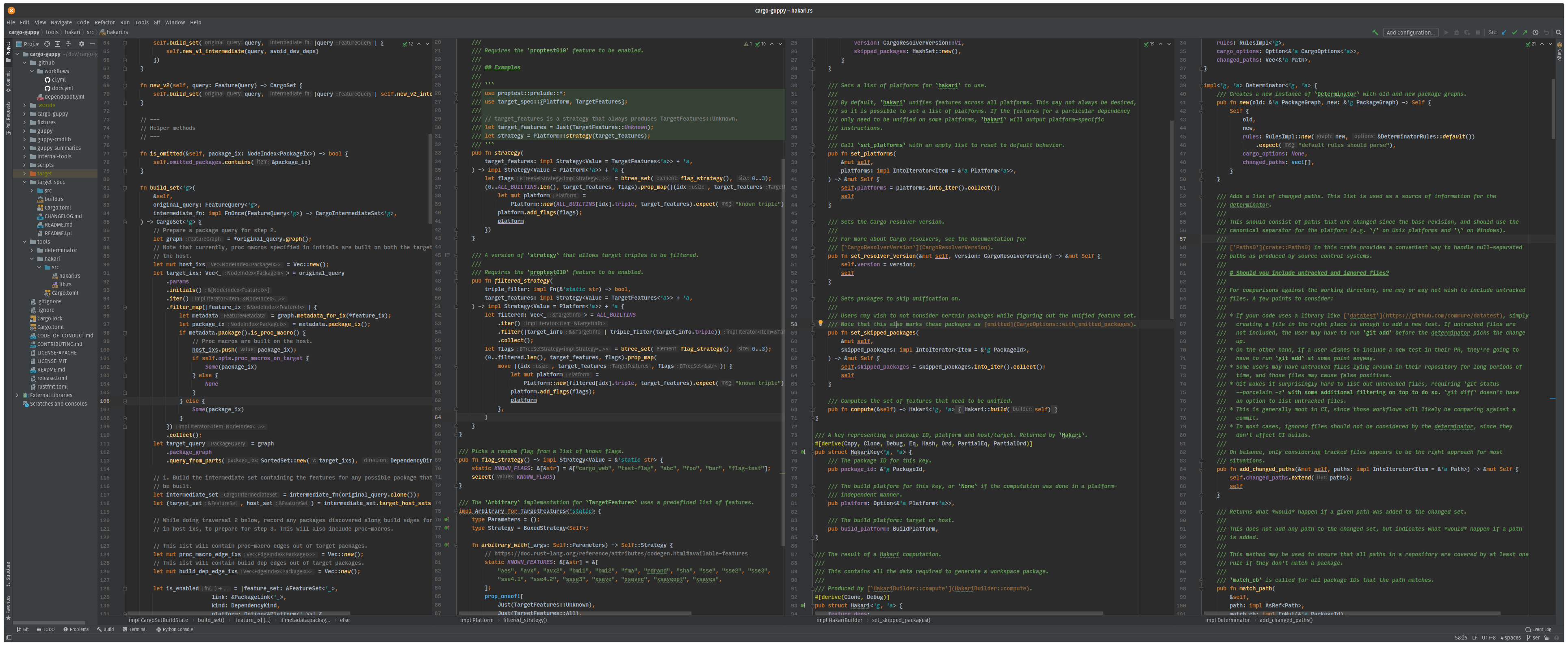
My current monitor is an LG 38GN950, a 4k 38" ultrawide with a high refresh rate and low latency1. My main monitor has been some some sort of ultrawide since 2015. The biggest advantage of an ultrawide is the ability to have 3-4 panes of code side by side at the same time without having to use multiple monitors. They also work really well with tiling window managers (more about them below).
My primary desktop operating system is the Pop!_OS distribution of GNU/Linux, version 20.10. The main feature I like about it is the Pop Shell tiling extension for GNOME2. I first started using a tiling window manager around 2017, and I haven’t looked back since. Pop Shell is my favorite by a large margin: it combines a great desktop environment with a high-quality auto-tiling implementation.
Aside: how tiling window managers work
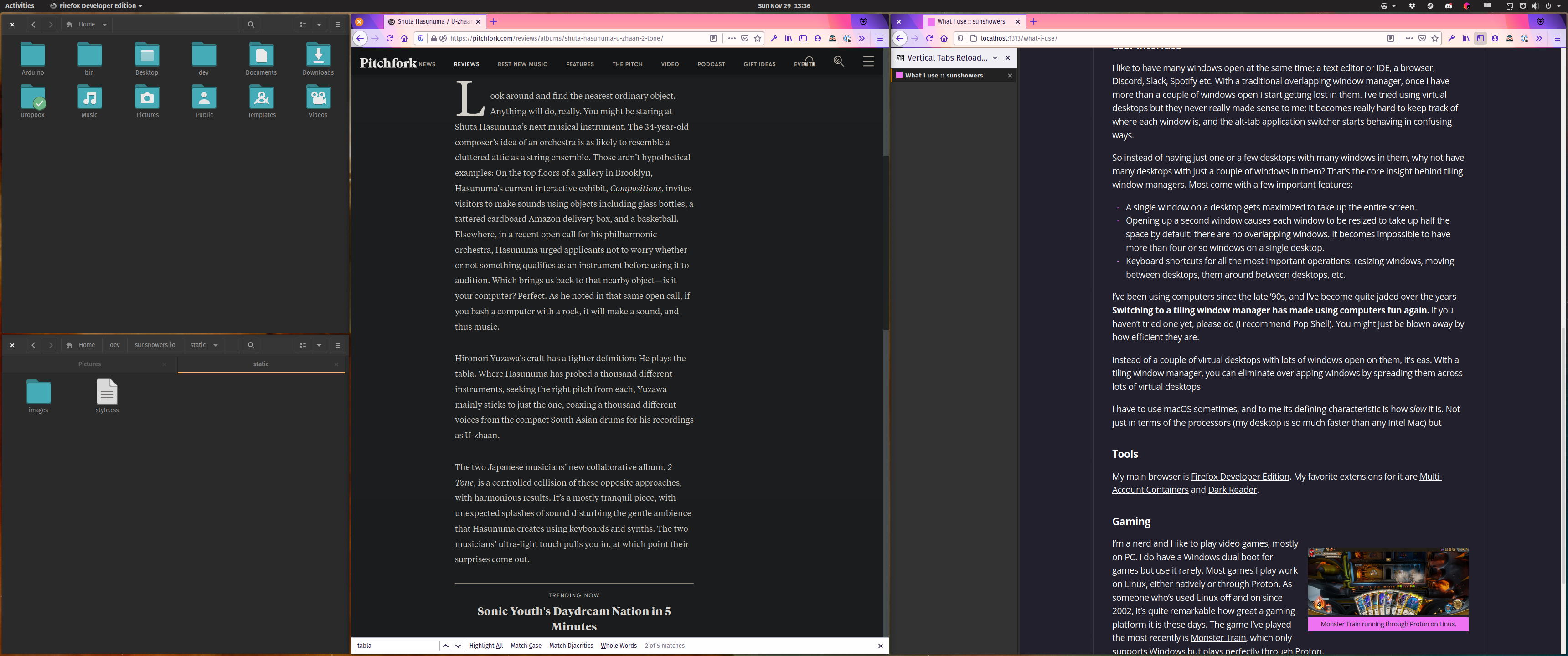
I like to have many windows open at the same time: a text editor or IDE, a browser, Discord, Slack, Spotify etc. With a traditional overlapping window manager, once I have more than a couple of windows open I start getting lost in them. I’ve tried using virtual desktops but they never really made sense to me: it becomes really hard to keep track of where each window is, and the alt-tab application switcher starts behaving in confusing ways.
So instead of having just one or a few desktops with many windows in them, why not have many desktops with a few windows in them? That’s the core insight behind tiling window managers. Most come with a few important features:
- A single window on a desktop gets maximized to take up the entire screen.
- Opening up a second window causes each window to be resized to take up half the space by default: there are no overlapping windows. It becomes impossible to have more than four or so windows on a single desktop.
- Keyboard shortcuts for all the most important operations: resizing windows, navigating between desktops, moving windows between desktops, etc.
I’ve been using computers since the late ’90s, right? I’m pretty jaded at this point. Switching to a tiling window manager has made computers fun again. If you haven’t tried one yet and you get a chance, please do! All you need to do is boot up a live USB stick with Pop_OS!3. You might be surprised at how much you like it.
Some other tools I use:
- Howdy combined with a Logitech IR webcam enables face-based authentication for logins and
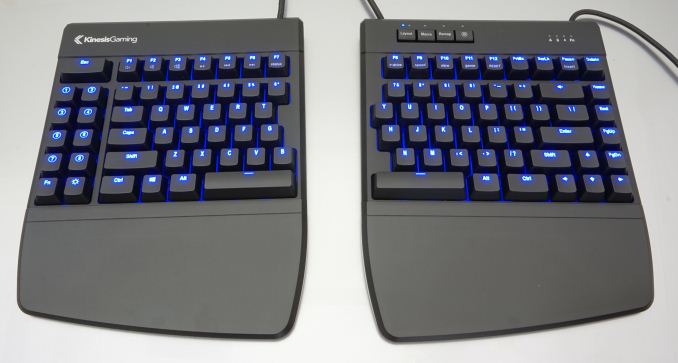
sudo. It’s delightful. - My keyboard is a Kinesis Freestyle Edge with Cherry MX Brown switches. There’s so much to love about the keyboard:
- I work for hours at a stretch and ergonomics is a top priority for me. The split ergonomic design means my shoulders and wrists thank me after a long day’s work.
- The macro keys are a great way to automate common operations.
- The keyboard’s configuration is stored in a simple text file, and this file can be checked into source control.
- My primary web browser is Mozilla Firefox. I’ve been a Firefox user since 2008. It’s really nice and keeps getting new features I appreciate, such as Multi-Account Containers.
- My preferred shell is zsh. I think it strikes the right balance between Bourne shell compatibility and user-friendliness. Some of my favorite less-well-known shortcuts are
Alt-.to repeat the last word of the last command (also available on bash), andAlt-'to add single quotes around the current command. - homeshick lets me synchronize my dotfiles across computers.
- I used to use Emacs a long time ago but gave up on it because of the UI stalls inherent to its single-threaded model. I still use Emacs keybindings everywhere, though, such as
Ctrl-Ato go to the beginning of a line andCtrl-Eto go to the end. Here’s how to turn them on in GNOME. - For Rust development I use a combination of the terminal and the JetBrains Rust plugin. It’s not perfect but it’s pretty close. I’m also keeping an eye on Visual Studio Code and rust-analyzer, but for now the JetBrains plugin is still better.
- For my terminal needs I use Guake. I bind the pull-down key to ⑧ on my keyboard, just to the left of left-shift. Fullscreen is bound to ⑦. A pull-down terminal and an IDE work very well together.
Gaming
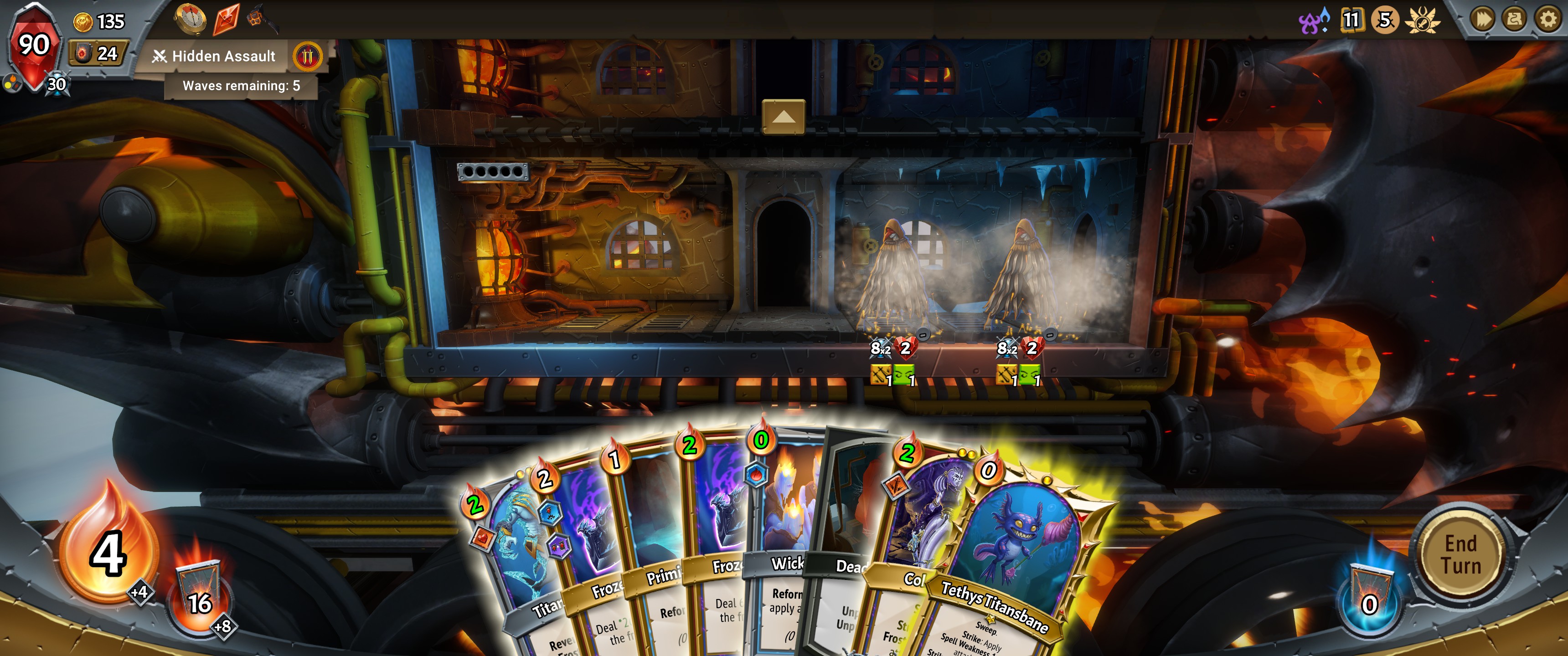
I like to play video games, mostly on PC. Being able to modify my games, whether the developers intended to allow it or not, is very important to me. I do have a Windows dual boot for games but I don’t use it very often. Most games I play work on Linux, either natively or through Proton. As someone who’s used Linux off and on since 2002, it’s quite remarkable how great a gaming platform it is these days.
Some games I’ve been playing over the last couple of months:
- Celeste, a difficult but kind 2D platformer. I’ve mostly been playing custom maps made by the incredible mod community around the game.
- Monster Train, a deckbuilding roguelike similar to Slay the Spire. The game technically only supports Windows but plays perfectly through Proton.
- When I’m feeling like a challenge I’ll play Sekiro: Shadows Die Twice for a bit. Sekiro is my favorite From Software game, and it also works really well on Linux through Proton.
- I played through Yoku’s Island Express, a fun little pinball Metroidvania. What a neat little game.
- Super Smash Bros. Ultimate, a fun fighting game on the Switch.
My phone
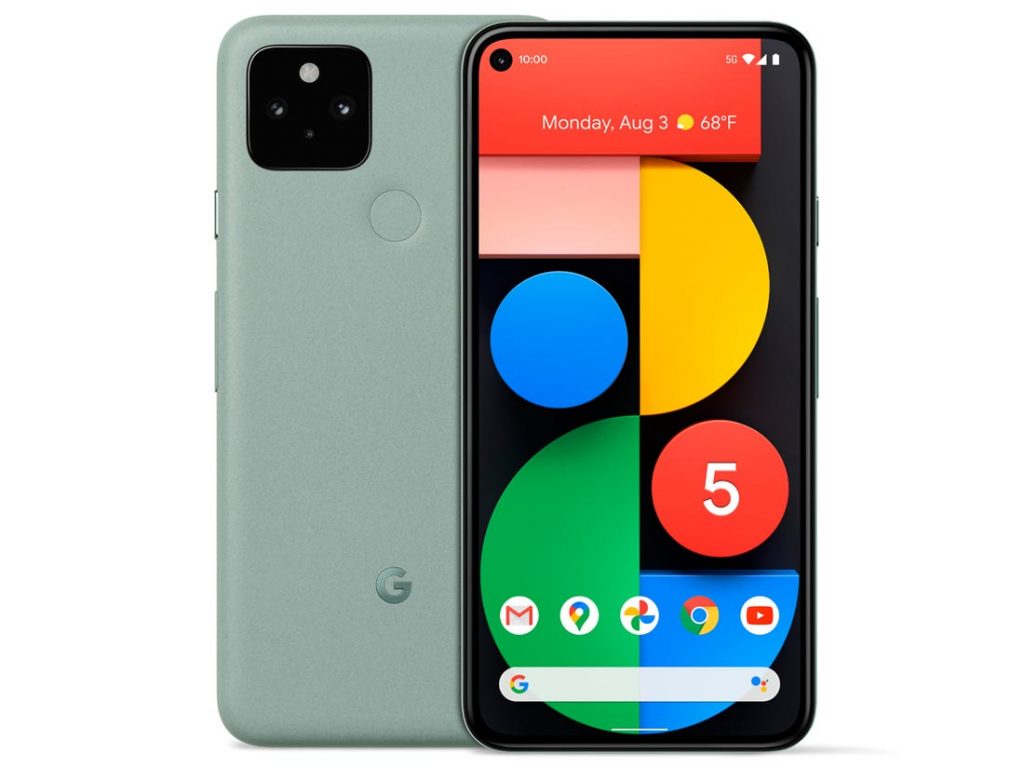
My primary phone is a Google Pixel 5. The phone is the smoothest I’ve ever used, it takes great photos, and the battery never runs out. Here’s a few things I really like about the phone, most of which are only available on Android:
- The 90Hz screen is very nice to use.
- I use Firefox as my primary browser. I love having access to uBlock Origin and Dark Reader, among other extensions, and the bookmark sync with desktop is great.
- KDE Connect is great for syncing notifications and files between my Linux desktop and my phone. On the desktop side I use the GSConnect extension for GNOME Shell.
- I use the Wavelet equalizer for my Sony wireless headphones. Wavelet ships with a database of presets for popular headphones, and I also appreciate that you can have separate profiles for different output devices.
Other stuff
- We upgraded to a Netgear Orbi mesh Wi-Fi setup this year. The Orbi is the best wireless setup I’ve ever used: stable, reliable, and very fast.
- The Valve Index is a pretty great VR headset. Even though I’ve mostly used it to play Beat Saber, the Index’s high refresh rate means I feel less woozy after a long session.
- As a long-time IRC veteran, I finally got on Discord this year. It’s not quite a perfect substitute for hanging out in real life, but it’s pretty good.
Reflecting on 2020
What an extraordinary year this has been. I’ve had a very rough time with my mental health but have otherwise been fortunate in so many ways. Here’s hoping the COVID vaccines do their job and things are back to normal by this time next year.
-
I care a lot about high refresh rates: over 90-100Hz a device feels responsive in a way that it simply doesn’t at the usual 60Hz. Outside of niche devices like e-book readers, I only buy displays that are at least 90Hz, preferably 120. ↩︎
-
The Pop Shell extension works on any distribution with a recent GNOME environment. Pop_OS! includes it by default. ↩︎
-
Many computers can boot bare metal Linux. It’s a pretty big hassle on recent Macs, though. Honestly, I think macOS is poorly designed and virtual machines are hard to use, so I prioritize Linux compatibility when I’m shopping for hardware. ↩︎